The app converts Stereo70 coordinates to WGS84 (ETRS89) or vice versa. It allows users to check locations on a map and offers features like saving locations and dark mode.
by Cristinel Bontas★ 5.01 ratingsUtilities$2.99Data updated 2026-10-16
Perform arithmetic operations with binary, decimal, and hexadecimal numbers. Convert between number systems. Calculate bitwise operations and logical expressions. Store and recall previous results.
Solve equations with addition, subtraction, multiplication, and division. View step-by-step working to understand solutions. Handle mixed and partial fractions. Convert between decimals and fractions. Find factors of numbers or common factors.
The app converts between Decimal Degrees and Degrees/Minutes/Seconds notation. It allows viewing converted coordinates in Maps or sending them to GPS Log.
Bind the to important items to locate them via beeping. Use the to call your phone or vice versa if lost. Receive alerts when devices are disconnected to prevent loss.
Land measurement tools allow precise and distance calculations on maps. Coordinate capture enables adding multiple coordinates to maps. Map exploration includes zooming, panning, and layer management.
Solve right-angled triangles by inputting known sides or angles. View step-by-step calculations and a scale drawing of the triangle. Access basic formulae. Enter angles in radians, decimal degrees, or degrees, minutes, seconds.
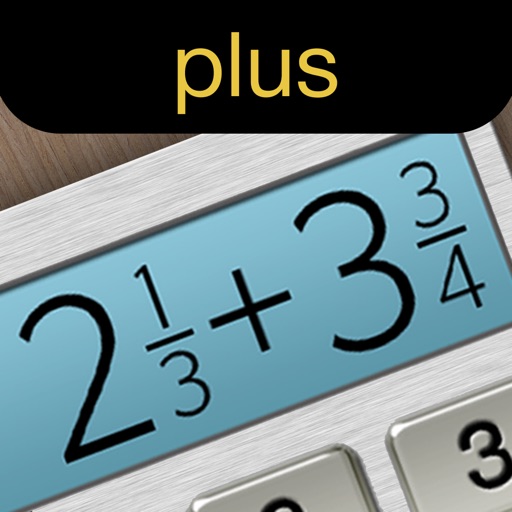
Calculate fractions by adding, subtracting, dividing, and multiplying. Convert fractions to decimals. Adjust recipe quantities for different serving sizes. Review math problems quickly and accurately.
The app displays up to six chosen locations simultaneously. Users can view the direction and distance to each selected place on a compass and check their coordinates.
Convert numbers between , , hexadecimal, and octal formats. Input a value and select the target format for conversion. Display results clearly with error handling for invalid entries.
Predict satellite and ISS sightings with second-level accuracy. Track Starlink satellite trains. Set reminders for upcoming events. Show compass direction and elevation for precise viewing. Countdown to sightings second by second.
Convert 12-hour to 24-hour format and vice versa. Set specific times and add multiple zones. Access conversion via Home Screen and Lock Screen widgets.
Display and coordinates using iPhone GPS. Show precise location data instantly. Provide clear, minimalistic interface for quick reading of geographic coordinates. No unnecessary features or tabs.
Find zip codes for current locations or search by city name. Look up area codes based on zip codes. Switch between and area lookup modes. Share results via copy or email.
Convert using real-time exchange rates. Choose the number of decimal places for precision. Perform quick currency conversions without additional steps.
Track location using latitude and longitude coordinates alongside Grid Locator System coordinates. Convert between coordinate systems. Display current position in both formats simultaneously.