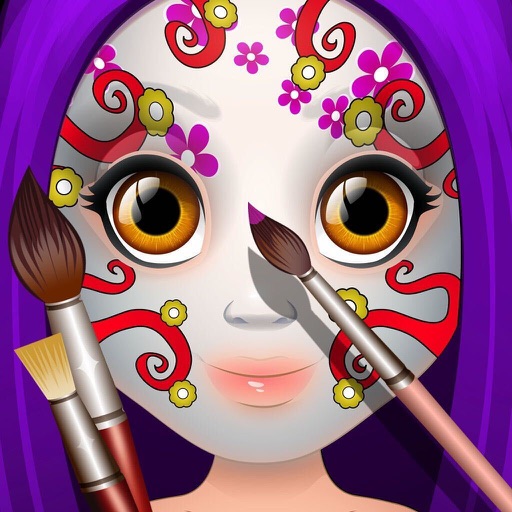
The app offers a simple and nice design for users of all ages to enjoy. Users can choose colors, patterns, and brush types to color drawings and clear the canvas.
by PESCAPPS GAMES SL★ 4.115 ratingsGamesFreeData updated 2026-10-16
The app offers over 20 magical brushes for users of all ages to create doodle artwork. Users can save their paintings in a gallery, play them back as animations, and share them with others.
Lets users paint mandalas, patterns, animals, florals, and themed images. Upload personal drawings for enhanced visuals. Use AR to view artwork in real-world settings. Create mandalas with simple swipes. Save and share completed artwork.
Games allow users to select color by number puzzles and images by tapping colors. Features include on pages, recoloring existing artwork, and saving progress. Users can access pixel art books and sketch freely without internet connection.
Allows users to play by puzzles with high-resolution images. Users can select colors, fill in numbers, and complete artwork. Features include undo options, zoom capabilities, and save progress.
Draw and color images of and vegetables with a variety of colors. Choose from 50 different doodles. Save and load pages. Includes educational content for toddlers.
Create art by following numbered grids. Choose from pre-designed images or generate custom designs using AI. Adjust colors and save projects. Share artwork directly or export in various formats.
Pages allows users to select from 300+ pages and add stickers or special effects. Mystery paint feature lets users create unique drawings. Save and load progress. Share drawings via preferred platform. Create custom drawings or wallpapers.
Allows users to color flags using correct colors. Users can explore flags of over 200 countries. The includes quizzes to test recognition and learn about country symbols and history. Users can save and share their colored flags.
Allows children to draw freely with various brushes. They can save and revisit previous drawings. The supports drawing on iPhone, iPad, and iPod Touch.
Hexagon boxes to create drawings using suggested colors. Select from various categories. Drag to neighboring boxes. Use a paint roller tool to fill areas. Features intuitive gestures and an elegant design.
Create and customize drawings using a variety of colors and brushes. Access categorized pages with detailed patterns. Save and share completed artwork. Adjust brush size and opacity for precise .
The app offers a digital coloring experience with over 120 free animal pictures. It features a stay-in-line brush, nine brushes for painting and drawing, and 50 pattern brushes for a unique coloring book and drawing pad.
Play a competitive painting game by replicating given images within a time limit. Choose from various paintings to copy. Compete against others in real-time. Use color and precision to match the artwork accurately.
The app offers a digital coloring experience with over 150 free princess and fairy pictures. It includes 10 brushes for drawing and painting, and a movie feature to record and replay drawings as animation clips.
Lets users select and color numbered sections of images. Each area has a linked to a specific color. Users can choose colors, fill in sections, and save or share their artwork. Features include free pages, numbered guides, and color selection tools.
Use fingers to mix colors from a palette and according to a sample image. Match colors and shapes to earn points. Complete stages to achieve three stars.
Create paintings by selecting colors or designs, then applying them to a character's with a finger. Choose from sparkly, gold, and silver paints. Customize characters and save or share creations.