Perform complex calculations with RPN and algebraic input. Handle arbitrary precision, complex numbers, and multiple bases. Work with vectors, matrices, and text. Solve equations symbolically and numerically. Graph functions and plot data.
by Christophe de Dinechin★ 4.85 ratingsProductivity$4.99Data updated 2026-10-30
Edit with a Sublime-like interface. Open and edit local and remote files via Dropbox, OneDrive, FTP, SFTP/SSH. Support multitasking, split-screen, and iPadOS mouse. Use Siri Shortcuts for automation. Enable multi-caret editing for efficient coding.
Generate strong passwords with customizable length and character types. Create and copy passwords directly. Share passwords via Notes, Messages, or copy to clipboard. No storage or transmission of passwords.
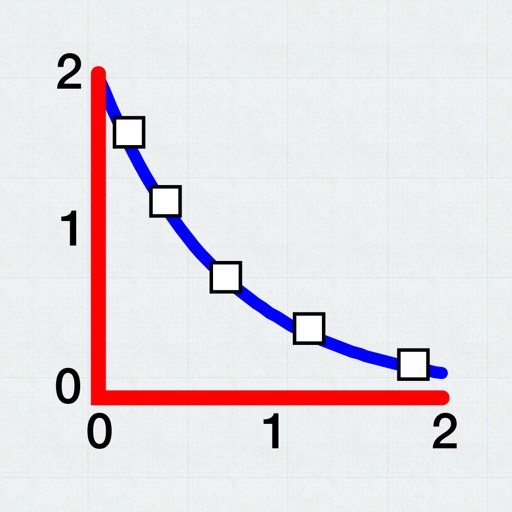
Allows users to plot and fit x, y data pairs. It supports curve fitting, value prediction, and kinetic data analysis. Data can be entered manually or imported from text or CSV files. Users can perform statistical analysis and generate graphs.
Manage multiple accounts including iCloud, Exchange, and Google. View events in day, week, and month formats. Set reminders, edit event details, and share events. Sync across devices and receive notifications for upcoming appointments.
Make payments by scanning QR codes. Transfer funds to other users or charge to a credit card. Scan and decode barcodes, QR codes, and data matrices for utility purposes.
Solve math problems with basic and complex calculations. Convert units and exchange currencies. Use fractions and square root functions. Perform calculations quickly and accurately.
Solve equations and plot graphs with precision. Access a formula library to input and calculate formulas with automatic unit support. Find intersections, integrals, and derivatives through intuitive plotting features.
Calculates with multiple modes and customizable settings
The app provides multiple calculation modes for various mathematical tasks. The app includes customizable interfaces and widgets for convenient use across devices.
Perform basic and complex calculations with a minimalist interface. Large buttons and a display show current input and calculation history. Supports portrait and landscape orientation. Includes AI-powered problem-solving for advanced operations.
Perform percentage calculations for tax and discounts. Execute constant calculations with Casio-style formatting. Handle exponentiation and advanced mathematical functions. Store and recall previous results. Switch between basic and scientific modes.
A scientific calculator with RPN input. Perform complex calculations, access trigonometric and logarithmic functions. Store and recall values. Use a simplified keyboard layout for easier navigation.
Convert units across 34 categories with 1400+ conversion options. Switch between light and dark mode. Use as a home widget with localized number formatting.
Perform complex calculations with scientific, graphing, and programmer modes. View graphs and equations. Use the Today widget for quick access. Unlock advanced features with in- purchases. Reinstall to reset trial periods.
Calculate with scientific precision and enhanced functions
Simulate the HP-45 scientific calculator with photo-realistic visuals and original LED or LCD display. Print calculations, animate keys with sound and feedback, and replicate the calculator's computation times.