Perform complex calculations with RPN and algebraic input. Handle arbitrary precision, complex numbers, and multiple bases. Work with vectors, matrices, and text. Solve equations symbolically and numerically. Graph functions and plot data.
by Christophe de Dinechin★ 4.85 ratingsProductivity$4.99Data updated 2026-10-30
Simulate calculations with a full-featured TI BAII Plus emulator. Perform time value of money, cash flow, and bond calculations. Store and retrieve data. Access formulas and functions. Export results and review history.
Perform complex calculations using 10 built-in calculators including scientific, financial, and unit conversion tools. Access 10 financial worksheets for budgeting, loans, and investments. Save and share calculation results.
Create 3D models and architectural designs using NURBS technology. Import and export files in standard CAD formats. Modify geometry with advanced editing tools. Add textures and materials to surfaces. Generate 2D drawings from 3D models.
Safeguard with backup and restoration features. Perform multi-delete operations for efficient management. Import and export for flexibility. Identify missing key details like name or email. Locate common fields such as company and job title.
Access product technical specifications and all documents in one place. View installation, operation, and engineering manuals. Retrieve service guides and technical data. Submit service requests and track progress. Share resources with team members.
Calculate mathematical expressions in real time with live updates. Edit and restructure equations dynamically. View step-by-step solutions and adjust variables on the fly. Share results via copy-paste or export as images.
Perform complex calculations, solve equations, and manage multiple tasks with a scientific calculator. Access a library of functions for engineering, math, and finance. Store and retrieve previous results. Switch between different calculation modes.
View account balances and transaction history in one place. Log in using fingerprint or facial recognition. Manage card settings including PIN changes and emergency blocking. Send money quickly and securely using photoTAN and Ins.
Solve equations and simplify expressions instantly as you type. Create and manipulate variables and functions with few keystrokes. Edit Markdown text to explain calculations and ideas. Share results and export calculations in various formats.
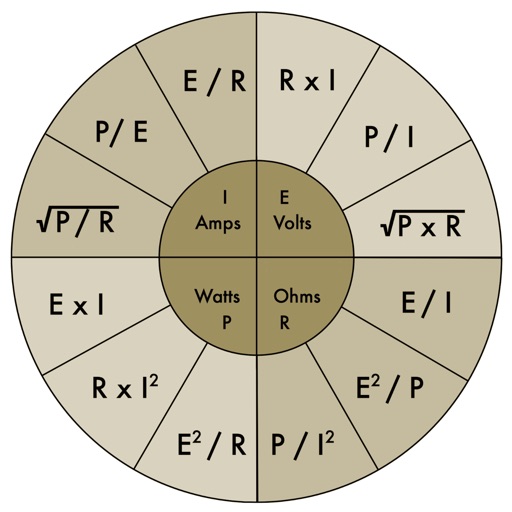
The app provides an electronic pocket reference guide for electrical professionals. It includes sections on motors, wiring, ampacities, grounding, voltage drop, conduit bending, tools, and safety.
Allows users to take photos of math problems and receive step-by-step solutions. It can plot graphs of equations. Users can chat with an AI tutor for homework and assignment .
The app offers scientific and standard modes with over 30 scientific operations. It supports degrees and radians, parentheses, and output in decimal or scientific notation.
For length, weight, speed, area, time, pressure, volume, power, fuel, temperature, data, and currency. Automatically or manually update currencies with 160 options. Enable multitasking on iPad for simultaneous conversions.
Check account balance and view payment history. Send rent payments securely. Rent units and sign contracts remotely. Access entrance gates using a tap or code. Contact front office for assistance. Manage access and payments from a single interface.
Convert units including currencies, length, weight, and temperature. Convert time zones and calculate percentages. Includes a running pace calculator and other utility tools for precise measurements and calculations.
3 through structured lessons covering basics to advanced concepts. Write and compile code using an integrated compiler. Build real projects to practice skills. Track progress with bite-sized lessons and exercises.
Check account balances instantly from the login screen. Deposit checks remotely. Send money securely via email or phone number. Transfer funds between accounts. Use fingerprint login. Locate nearby ATMs.
Perform complex calculations with scientific, financial, and unit conversion tools. Access 10 financial worksheets for budgeting and planning. Switch between landscape and portrait modes. Save and export calculation results.
Write calculations directly on the screen for real-time results. Edit equations with gestures or add elements anywhere. Drag and drop previous results for reuse. Supports interactive ink for natural handwriting input.