Edit photos with AI-powered tools to remove backgrounds, generate avatars, and enhance image quality. Add filters, adjust colors, and crop images. Save and share edited photos directly.
Create viral videos using AI-powered editing tools. Add text, stickers, and filters. Trim clips and generate cinematic scenes from text. Expand borders and outpaint frames. Share directly to social media platforms.
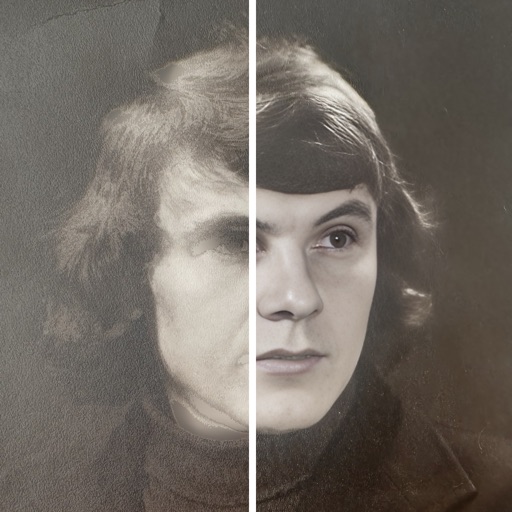
AI improves quality, fixes lighting, and sharpens details. AI Unblur converts pixelated or blurry images into clear high-resolution photos. Users can upload photos and apply AI-powered enhancements to restore old memories or refine portraits.
Create images from or existing visuals using AI. Edit and refine generated images. Export high-resolution images for professional use. Transform images into new creations with advanced AI tools.
Remove backgrounds with one-tap AI detection. Adjust edges and transparency manually. Replace backgrounds with solid colors or images. Export edited photos in high resolution.
Remove backgrounds from photos using AI. Select images from the gallery, automatically detect and cut around people or objects. Save as transparent PNG or replace with HD backgrounds. Edit and share edited photos directly.
Edit photos with one-tap auto enhance and apply hundreds of filters and . Add stickers, frames, and text. Adjust brightness, contrast, color temperature, and saturation. Crop, rotate, and straighten images. Sharpen or blur details.
AI automatically detects and removes , people, and backgrounds from photos. Users can edit photos with skin whitening, acne removal, body reshaping, object erasing, background changes, cropping, text addition, and filters.