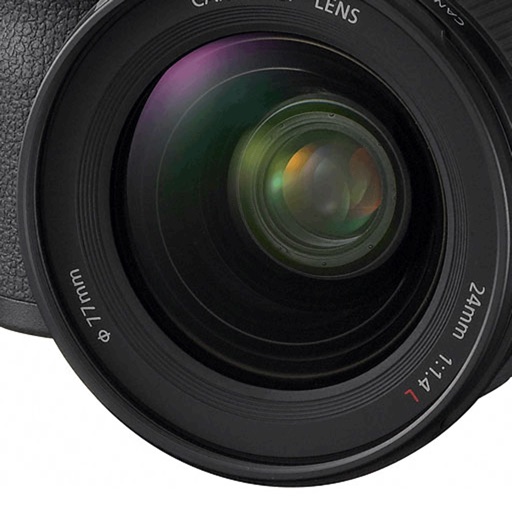
Adjust camera settings with sliders for distance, aperture, and lens. Instantly view calculations for exposure. Choose between metric or imperial units. Edit photos with basic tools. Share images directly from the .
by Mihai alexandru Bold★ 3.621 ratingsPhoto & VideoFreeData updated 2026-09-08
Edit photos with multiple camera models simulating DSLR, iPhone, and film styles. Use AI to enhance natural features and apply various portrait styles. Save money by avoiding camera purchases.
Hong Kong Source Research Society Supply Chain Limited
Apply retro filters to photos
Edit photos with retro filters that mimic classic film styles. Add light leaks and lens flares for artistic effects. Apply effects to enhance the nostalgic look. Share edited photos directly to social media platforms.
Capture and edit high-resolution photos with manual exposure controls and RAW support. Adjust white balance, focus, and color grading. Import and organize images in folders. Export photos in various formats and share via social media or email.
RAW+ allows exposure with on-screen shutter and ISO sliders. Supports RAW and ProRAW formats. Enables focus and custom white balance. Offers advanced settings for toggling features. Includes a free trial of five shots before requiring a purchase.
Capture photos and videos with a Glitter effect for enhanced visual appeal. Edit media from the gallery. Create kirakiragraphs from still images. Swipe left or right to navigate.
Calculate depth of field and hyperfocal distance for photography. Input distance, aperture, and focal length to determine focus settings. Customize camera models and lens lists for accurate calculations. Share results and export data for reference.
Calculate depth of field with customizable settings for photographers and cinematographers. Select from multiple camera models. Save camera configurations and access in- purchases for additional features.
Capture photos using Auto, Manual, RAW, Slow Shutter, and Macro modes. Apply built-in filters and adjust brightness, contrast, and saturation. Edit images with cropping, straightening, and exposure tools.
Apply trendy like Starflight, Vaporwave, and Sparkling Love. Choose from aesthetics such as Barbiecore, Weirdcore, and Retro Film. Edit videos with like Flowing Purple, Film Reel, and Scratch. Share finished edits directly.
Turns iPhone or iPad into an HD for Windows PCs. Replace old webcams with higher quality video. Monitor babies, pets, or security areas remotely. Record videos directly to a PC without device storage limits.
Clean up clutter by swiping through images to delete or keep. Remove duplicates, blurry shots, old screenshots, and other unwanted files. Quickly free up storage space without ads.
Adjust camera settings including exposure, focus, and white balance. Control shutter speed and ISO manually. Preview raw images and apply custom filters. Save and share edited photos directly.
Edit photos with manual exposure controls, precise focus, and adjustable white balance. Record smooth video with crisp audio. Export in various formats and share directly. Adjust colors and brightness for professional results.
Record 4K and 6K video with manual controls for focus, exposure, and white balance. Adjust frame rates and aspect ratios. Use professional-grade audio recording. Export videos in high-resolution formats and share directly.
Capture high-quality photos with resembling DSLR functionality. Adjust focus, exposure, and other settings via gesture-based interfaces. View focus peaking and use a 4x magnifier for precise focusing. Display minimum focus distance for macro shots.