Apps Like Bezier Image Clipper for iPhone and iPad
Clip images with bezier path easily.
The app allows users to clip images using a bezier path. It supports saving cropped images to the photo album and publishing them to Facebook or Twitter.
by Satoshi Horiguchi★ 3.73 ratingsPhoto & VideoFreeData updated 2026-10-15
Offers seven-in-one functions including basic, scientific, and unit conversion tools for currency, distance, weight, time, and data. Switch between modes by rotating the device. View operation history on the screen. Use degree or radian settings.
Upload photos from the photo album or capture images with the device camera. Analyze the photo to determine the coolness of the person in it. Share results directly from the .
The app helps users count down to events in seconds, minutes, hours, and days. Users can select background images or use their own photos to personalize events and share them via Facebook or Twitter.
Arthur Eduardo Skaetta Alvarez Desenvolvimento de Software LTDA.
Photos and save to albums
Documents and photos using the device camera. Save scanned images to the camera roll or organize them into albums. Automatically crop scanned images by detecting paper edges. Adjust brightness and contrast for clearer scans.
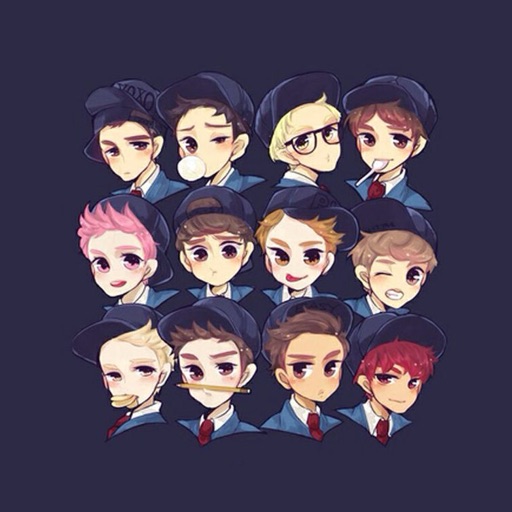
Save wallpapers of EXO members to your photo gallery. Share them via Facebook, Twitter, and Google+. Wallpapers are optimized for high definition. Requires internet connection.
Video allow editing with watermarks and doodles, exporting and deleting background music, and converting videos to livephotos. Image generate word cloud, polygon, and block-style wallpapers from keywords or images.
Animate static images by painting direction and using a stop brush. Combine and blend unlimited layers from photos or online sources. Add animated effects with built-in tools. Export and share finished animations.
Set with HD and 4K resolution for homescreen or lockscreen. Choose K-pop images for social media profiles on Facebook, Twitter, Instagram, and TikTok. Select and apply high-quality images directly within the .
The app provides 2D vector drawing and design for iPad and iPhone. It offers unique offset controls for precise finger-based editing and supports iCloud synchronization with its Mac version.
Resize images to 480x640 pixels without internet. Select photos from the library. Adjust up or down. Export resized images directly. No internet required for resizing. Simple interface for quick adjustments.
Create photo and overlays with adjustable . Add text over images or videos. Adjust transparency and layer sizes. Share final edits without watermarks. Supports within and within effects.
View service menu and pricing. Check availability and book appointments. Pay and tip securely without cash. Receive reminders and manage appointments by rescheduling, canceling, or getting directions.
The app reduces the size of photos and videos for faster sharing. Users can import media, resize it, and export it to various platforms or save it to their device.
Create from photos or images. Add text to make . Customize with images, text, and other . Browse and organize in one view. Move between packs. Export sticker packs to files. Import previously exported sticker packs. Share with contacts.
Create artistic images with single-tap camera effects and professionally designed filters. Adjust brightness, contrast, and tone curve. Blur and focus images. Rotate, crop, and resize photos. Add text and fun stickers.
Edit photos with mosaic, pixelation, vignette, overlays, and HDR effects. Apply shattering effects with real-time adjustments. Export edited images in various formats and share directly.