Apps Like Bezier Image Clipper for iPhone and iPad
Clip images with bezier path easily.
The app allows users to clip images using a bezier path. It supports saving cropped images to the photo album and publishing them to Facebook or Twitter.
by Satoshi Horiguchi★ 3.73 ratingsPhoto & VideoFreeData updated 2026-10-15
Convert HEIC, , and PNG images to or PNG formats. Maintain original quality. Use an easy-to-use interface to select and convert files. Save and share converted images directly.
The app downloads scanned images from compatible wireless scanners to an iOS device. Users can then edit, optimize, save, or share these documents directly from their device.
Encode and decode text between , Unicode, and Morse code. Support URI encoding and decoding. Calculate hashes using MD2, MD4, MD5, SHA1, SHA224, SHA256, SHA512. Encode images from the photo library to and decode strings to save images in the album.
Convert documents and images between supported formats. Select files from device storage or photo library. Choose target format from list including PDF, DOC, JPEG, PNG, and more. Preview converted files before saving.
Create by overlaying a cropped face image onto another image. Crop and adjust face images. Select and position meme templates. Add text and stickers. Share directly to social media or messaging apps. Edit and refine meme compositions.
Reverse allows users to find original sources of images using multiple engines. Users can from the share sheet without opening the . Features include searching with Google Images, Bing Visual , TinEye, and more.
Edit photos by adding Christmas with 30 options and 20 Halloween mini . Choose between solid or flashing effects. Use 9 holiday or 3 spooky backgrounds. Save edited images to the 's album, camera roll, or share directly.
Allows users to expand photos by uploading images and using AI to extend backgrounds. Users can adjust expansion settings and preview results before exporting. The supports various formats and offers real-time adjustments for enhanced visual space.
And multiple images at once. Mirror selfies and correct photo orientation. Support for JPG, PNG, HEIC, WebP, and other formats. Preserves image quality during edits. No complex features required.
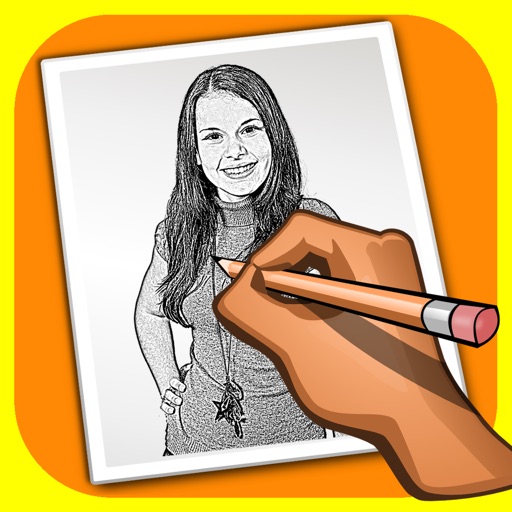
The app transforms user photos into pencil drawings with a sketch shine effect. Users can apply this filter to images captured with the device's camera.