Create collages by combining up to 20 photos. Choose from 100+ layout options. Edit images with filters, stickers, text, and doodles. Adjust ratios and background styles. Save and share the final design.
Create collages with customizable grids and multiple layout options. Add photos by selecting from camera or gallery. Adjust images using zoom and touch gestures. Change background colors or themes. Save or share collages through social media apps.
Edit photos with retro filters and . Add antique textures and color adjustments. Apply nostalgic styles for a timeless look. Save and share edited images directly.
Create collages by selecting a layout and adding photos. Arrange images in customizable grids or freeform styles. Export collages in various formats and share via social media or messaging apps.
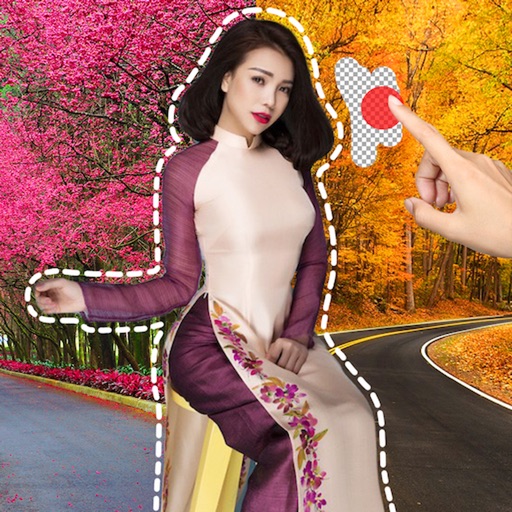
Remove image backgrounds using AI for transparent effects. Edit photos by cutting specific areas manually. Add new backgrounds, text, and stickers. Create profile pictures with customizable options.
The app allows users to create picture collages on their iPhone. Users can arrange pictures in various styles, add text, and customize individual picture placement within frames.
Create collages using 100+ adjustable layouts. Customize with gesture controls and regulation bars for precise adjustments. Choose from beautiful backgrounds and filters. Edit photos with cropping and ratio adjustment tools.
Add text to photos with customizable fonts, colors, sizes, and borders. Include stickers and background colors for creative expression. Share directly to social media platforms. Supports multiple languages including Arabic, , Persian, and Hindi.
Edit photos with vintage effects, artistic filters, and professional adjustment tools. Crop, resize, and enhance images. Add text and stickers. Export in multiple formats and share directly. No registration, ads, or watermarks.
Edit photos with 200 unique filters and effects. Adjust brightness, contrast, and saturation. Add text, stickers, and borders. Crop and rotate images. Export in multiple formats and share directly.
Create collages by freely moving, scaling, and rotating photos. Arrange images without grids, templates, or filters. Add text and stickers manually. Export and share finished collages directly.
Capture photos and videos with one tap using AI technology. Apply film simulation to reduce sharpness and simulate film sensitivity. Adjust filters and styles freely. Enhance colors intelligently for vivid results.
Edit photos with background erasing and changing tools. Blur backgrounds and apply portrait beauty effects. Add realistic filters and effects with one tap. Share edited photos directly. Join a community for editing tips and feedback.
Create collages by arranging photos, text, and stickers. Edit images with cropping, filters, and adjustments. Design carousels to share stories. Add frames, borders, and backgrounds. Export and share finished projects directly.