

Apps Like Tribees Camera for iPhone and iPad
Tribees Camera screenshots
Ranked alternatives
Showing 81–100 of 1,000 ranked alternatives.

Photo Compress - Shrink Pics
Brachmann Online Marketing GmbH & Co. KG
Photos and save space
Photos to save storage space. Adjust JPG compression strength and image size reduction. single images, multiple files, or entire albums. Preview compressed results before saving.

Cartoon Your Face
Jorge Gregorio Martin Bello
Turn selfies into characters
Turn selfies into cartoons with instant morphing and emotion imitation. Apply , pencil sketch, and bug eyes effects. Create old man, moon, or beard styles. Share edited portraits directly.

Safety Photo+Video
Sixbytes PLT
Secure photos and videos with encryption
Secure photos and videos with encryption and password protection. Set access restrictions and enable remote wiping. Control who can view or edit media. Prevent unauthorized use for AI training. Backup and restore files securely.

Photo cleaner: Swipp
Pacifiq
Sort, edit, and organize photos
Organize and manage photos and videos by creating albums. Swipe right to save preferred items or left to remove unwanted ones. Add albums via the bottom list. View and manage media with intuitive gestures.

LockCam - Lock Secret Albums
刘生 林
Secure with password access
Allows users to create private protected by gesture passwords. Users can take photos and record videos without unlocking the album. The includes a video player supporting multiple formats.


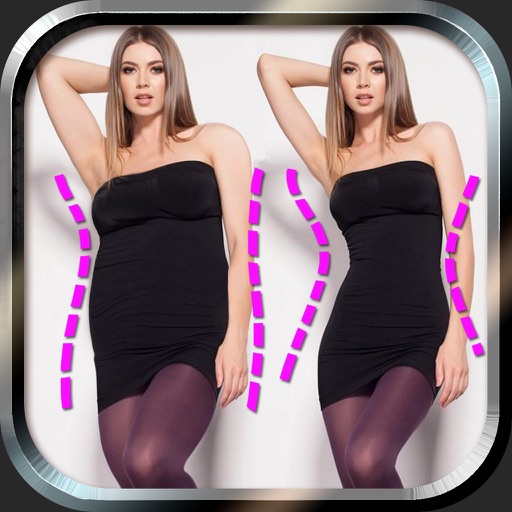
Make Me Thin - Photo Slim & Fat Face Swap Effects
宁 桂
Edit photos and body with sliders
Edit photos to and body using auto-detection. Adjust and body thickness with sliders. manual edits and undo changes. Compare original and edited images. Save results to albums and share via email or social media.


Photo Scanner AI: Scan Pics
Best Cool Apps LLC
Scan photos, save as digital records
Turn old photos into digital scans using your iPhone’s camera. Edit images, apply filters, and add notes to each . Save scans to your phone’s gallery and share them with others.


How we rank alternatives
Apps are ranked by functional similarity, category fit, rating confidence, and popularity.