Apps Like MeshPaper: Wallpaper Generator for iPhone and iPad
Create shapes, add to images, save designs
Create colorful shapes using a mesh-based drawing tool. Overlay shapes on images or save them as standalone graphics. Customize colors, opacity, and layering options. Export designs in various formats for use as wallpapers or other projects.
by MCRICH LLC★ 5.01 ratingsGraphics & DesignFreeData updated 2026-09-06
Create swipeable collages with multiple pages and photos. Add images from the photo library. Customize with color options, filters, cropping, and shapes. Preview the in a full swipe . Save the final to the photo library.
Create abstract art by drawing shapes that auto-connect and fill with random procedural patterns. Use Auto Draw to generate unique compositions in real time. Watch animations transform your artwork into kaleidoscopic designs.
Create and generate images, videos, and Genmoji emojis from text prompts. Choose from various artistic styles. Download and share generated content. Train custom models for personalized generation.
Create collages by selecting from 1000+ layouts, grids, and templates. Add photos, adjust sizes, and apply filters. Share collages directly to social media or via email. Edit text, add stickers, and crop images within the .
Create cards using pre-designed templates or custom designs. Modify templates freely. Save custom cards to a private collection. Send cards directly to friends via messaging apps.
Create promotional posters, flyers, banners, and thumbnails with customizable templates. Add text, images, and graphics. Adjust colors and layouts. Export and share designs directly.
Create and customize wallpapers for iPhone and iPad. Choose from thousands of pre-designed templates. Adjust colors, fonts, and layouts. Add text, images, and icons. Save and apply custom designs to screens. Sync with iOS 16 features.
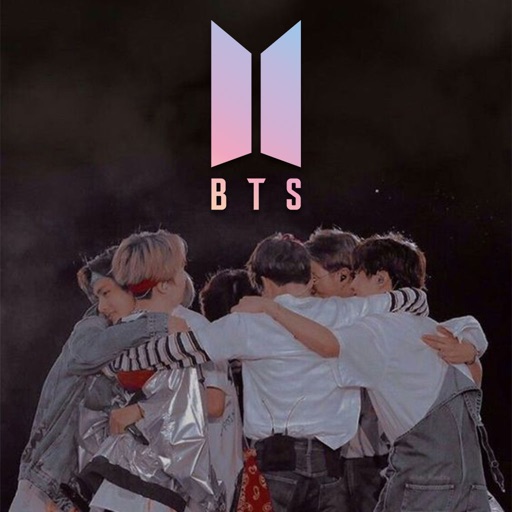
Download and customize BTS in high quality. Create unique by editing images or combining elements. Access over 200 pre-designed and receive future updates. Share personalized with others.
Generate high-resolution -style wallpapers and save them to the Photos library. Create static wallpapers with customizable filters and effects like contrast, brightness, and color. Share wallpapers directly from the .
Create evolving shapes and color fields by touching and shaking the screen. Explore color noise, liquid merging, and spastic color bars. Capture screenshots of generated artwork.
UNIVERLIST TEKNOLOJI SANAYI VE TICARET ANONIM SIRKETI
Create videos from text and photos
Create animated HD videos from text or images. Add transitions, music, and text overlays. Edit clips, adjust timing, and export in various formats. Share directly to social platforms.
Generate logos and icons using AI based on brand details. Customize 2D and 3D designs with settings adjustments. Export created graphics in various formats.
Create posters and flyers with customizable templates, drag-and-drop elements, and text formatting. Add images, logos, and graphics. Choose from various layouts and export in multiple formats for print or digital use.
Create logos using AI-generated designs. Choose colors, fonts, and styles. Customize elements like text and icons. Export logos in various formats and share directly.
Capture and collect color palettes for use in projects. Drag and drop colors into compatible apps like Pages and Keynote. Sync palettes across devices using iCloud. Analyze color schemes and save custom palettes for later use.
Design and edit projects directly on with text curve tools and barcode generation. Connect and control laser machines wirelessly. Process designs on the go without needing a computer. Edit and adjust projects for laser cutting and engraving.
Create and customize digital art using text prompts and style choices. Generate images, wallpapers, and paintings with AI. Access advanced features via a monthly subscription. Export and share created artwork.
Transform photos into blurry wallpapers for Home or Lock screens. Drag images horizontally to adjust the crop. Use bright, colorful photos for results. Shake to get new images. Save preferred blurriness and access saved images in the Photos .
Edit videos by adding text, music, filters, and sound effects. Apply overlays and voice-overs. Create photo stories animations and artwork. Export final videos in various formats.