Apps Like JAX ONE Delay Extended for iPhone and iPad
Model audio with 3D precision
Edit audio with processing for left and right channels. Adjust parameters like time, feedback, and mix. Visualize audio data in 3D models. Rotate and move the interface using touch gestures. Export processed audio files.
by Jens Guell★ 5.01 ratingsMusic$14.99Data updated 2026-09-06
Stream music playlists curated for Jacksonville. Discover local artists and community events. Follow live performances and interact with fans through comments and ratings. Share favorite songs and playlists with friends.
Create and sequence sound patterns using 14 effects arranged in a matrix. Adjust parameters for each effect to shape audio. Generate loop collages and save custom presets. Export audio files for playback or further editing.
Apply audio filters to modify sound characteristics. Adjust parameters for tone shaping and resonance. Load and save presets. Access a demo version with limited playtime. Purchase full version for unlimited use.
Create and manipulate audio using up to 10 band pass filters displayed as . Adjust resonance, delay time, and feedback per band. Modify cutoff frequency and resonance across bands for custom sound effects.
Record audio from a microphone or external sound card. Process signals in real time with a dynamic . Apply non-linear filters and adjust settings through a functional user interface. Integrate as an AUv3 plug-in in compatible host apps.
Create and control orchestral sounds using MIDI input from external keyboards or Bluetooth devices. Adjust instrument parameters, apply effects, and route audio through Audio Unit or Inter- Audio.
Create and edit sequences with up to 16 tracks. Add modulation and control parameters. Use as standalone or AUv3 plugin in DAWs like AUM, Logic Pro, and Cubasis. Record and playback patterns. Adjust tempo and timing. Export files.
Create and manipulate audio with six distinct delay algorithms. Adjust modulation parameters for stereo effects or granular pitch-shifting. Apply filters, pan settings, and modulation types. Export processed audio files for use in projects.
ToneBoosters displays real-time , spectrum, and goniometer visuals. It processes microphone input for audio analysis. Supports AUv3 plugin format for integration with compatible host apps.
Create and manipulate sounds using oscillator algorithms. Select oscillator types to shape tones. Adjust parameters for fine-tuning. Save and recall presets. Export audio files directly. Integrate with hosts for sound design.
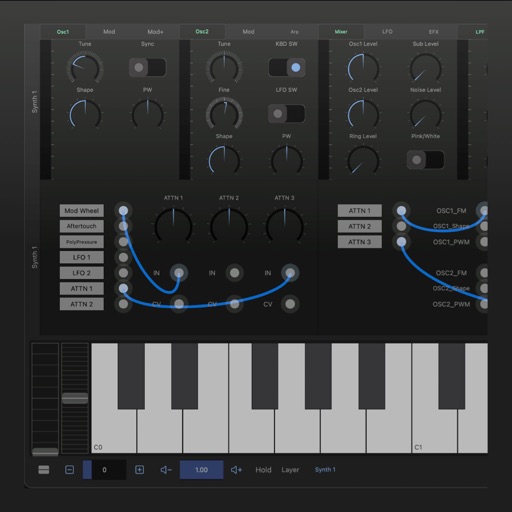
A synthesizer with 16 voice polyphonic capabilities. Users can create sounds using two oscillators per voice, adjust ADSR envelopes, apply filters, and control amplification. Includes effects, a sequencer, and audio visualization.
Adjust audio pitch in real time for monophonic signals between 50Hz and 2000Hz. Apply auto pitch correction to male and female voices. Modify correction intensity and speed. Add robotic tuning effects with low latency.
Audio plugin for creating a delay effect by introducing a small difference between left and right channels. Adjust delay , feedback, and mix levels. Apply to audio tracks for spatial sound effects. Compatible with digital audio workstations.
Record and process audio with parameters for tape distortion, playhead loss, wow/flutter, and tape degradation. Emulate various tape machines and types. Adjust tape saturation and frequency response.
Control effect parameters and looper settings via Bluetooth. Switch between chorus types, delay types, and reverb types. Adjust effect parameters for Double detune, 4 Voice, Simple, Analog, Hall, Room, and Plate.