Explore chords, scales, and arpeggios with interactive libraries. Select root notes and adjust lowest or highest notes for custom chord shapes. View and practice scale patterns with detailed diagrams.
Learn by viewing real-time fingering on a virtual fretboard while listening to songs. Slow down tracks, create custom loops, and improvise. Access free interactive lessons for all skill levels and genres. Purchase additional instructional content.
To play the with guided lessons, exercises, and song collections. Track rhythm and pitch with live feedback. Use a tuner for accurate pitch adjustment. Practice reading music notes and improve playing skills.
Solos and improvisation with structured training. along with backing tracks, practice scales, and receive real-time feedback. Set goals, track progress, and access lesson plans for different skill levels.
Create and edit chord progressions by selecting keys and chords. Build custom sequences and explore variations. Learn through interactive play and real-time feedback. Export progressions and integrate with music production tools.
Watch services, listen to messages, download sermons,
Watch livestream services and listen to past messages. Access choir and singer recordings. Receive push notifications for prayer requests and announcements. Download sermons for offline listening.
Create progressions and loop them in sync with other apps. Trigger chords via MIDI footswitch. Explore music theory and harmonies. Save and share progressions. Sync with Apple Health.
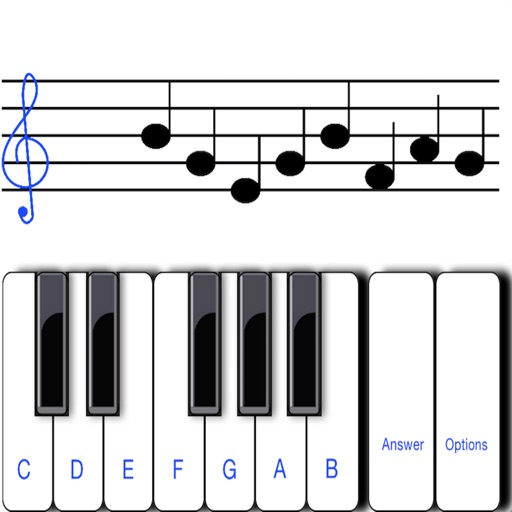
To sight notes in G and F clefs. Practice notes across six octaves, including those above and below the staff. Randomly generated notes apply to any instrument. Switch clefs for varied practice. Beginners can limit octaves and set their pace.
Import multitrack audio and organize sections with custom labels. Chop tracks into segments like Verse, Chorus, and Bridge. Navigate between sections during performances. Adjust timing and sync audio for real-time playback.
Remove vocals or instruments from audio files using AI. Upload unlimited tracks and export edited audio. Extract isolated vocals or instruments for music production.
Remove vocals from songs and isolate instruments using AI audio separation. Create custom multitrack tracks. Practice singing with isolated vocal stems. Export tracks in multiple formats and share directly.
Create and manage flashcard decks with intuitive tools. Add quickly with customizable front and back sides. Review using spaced repetition to improve retention. Track progress and set study goals. Sync across devices for consistent learning.
Create and customize using real instrument sounds like guitar, mandolin, and standup bass. Play any chord progression in any key and speed. Practice with generated for bluegrass, old-time, fiddle tunes, and jazz/swing.
Store lyrics, chord charts, and song metadata. Organize song sets and manage performance order. Control on-stage equipment remotely. Share files with band members. Sync across devices and export to PDF or print.