Learn programming through block-based coding. Create functions, use variables, and implement loops. Access interactive lessons without student logins. Compatible with Windows, Mac, Chromebook, and iPad.
by Anthony Galgano★ 0.00 ratingsEducationFreeData updated 2026-09-06
The app teaches six preschool subjects including letters, phonics, numbers, shapes, colors, and counting. Parents can select topics, review performance, and track learning for up to 40 students.
Teaches through interactive games. Covers home, outdoors, road, and public space scenarios. Includes topics like air pollution, swimming, and seasonal . Features games to learn about emergencies, first aid, and safe practices.
Kids Academy Co apps: Preschool & Kindergarten Learning Kids Games, Educational Books, Free Songs
Toddlers learn through discovery and play.
The app offers three games for toddlers aged two and up, focusing on sorting, matching, and counting activities. It includes over 120 activities with ascending difficulty and hand-drawn graphics to develop skills like vocabulary and problem-solving.
Learn about activities through interactive games. Play tube racing, underwater adventures, and surfing simulations. Create sand art and solve puzzles. Track progress and unlock new levels. Share achievements with friends.
Teach healthy sleep routines through interactive activities. Complete tasks like giving a bath, brushing teeth, and organizing toys. Put on pajamas and prepare for bed. Play bonus games such as collecting bubbles and finding seashells.
Find playgrounds with filters for safety, cleanliness, and toddler-friendliness. Search by location or city. Read reviews from other parents. Save favorite spots and get directions. Share details with family members.
Create interactive interfaces using drag-and-drop UI components. Generate high-quality SwiftUI code for integration into projects. Explore SwiftUI features through hands-on experimentation. Share code snippets for use in real iOS applications.
Teaches vocabulary through interactive games like slideshow, concentration, puzzle, and quiz. Organizes words into categories such as farm, numbers, and transportation. Includes listening and reading exercises for skill development.
Provides a standalone interpreter for running Lua code. It includes a code editor with syntax highlighting and auto-completion. The features an intuitive file manager for organizing scripts.
The app provides a drag-and-drop robotics programming environment that generates Arduino code. It allows users to build robots that interact with their environment using sensors and various building systems.
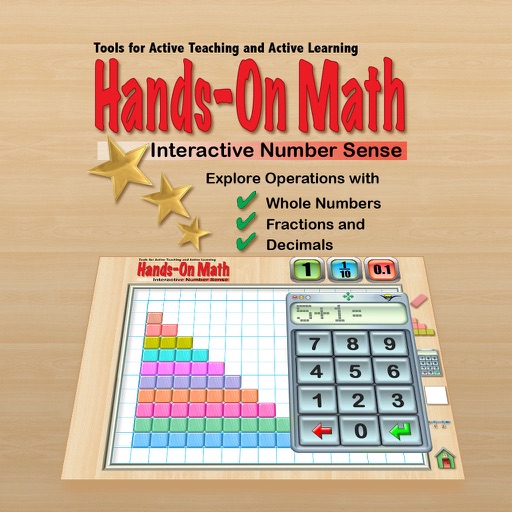
The app provides a virtual playground for students to explore mathematical concepts using colored number bars. Students can order, compare, add, subtract, multiply, and divide whole numbers, fractions, and decimals.