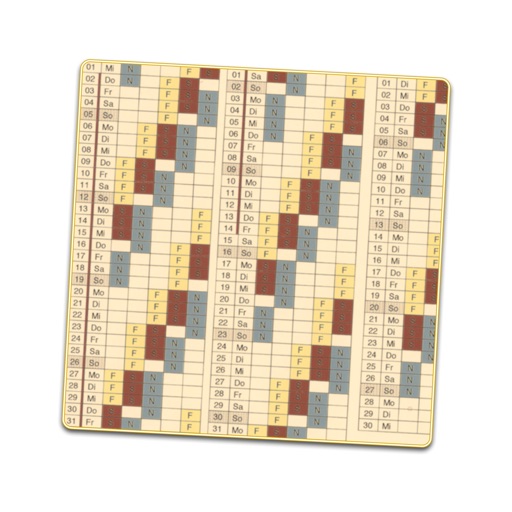
Track work schedules and free days with customizable shift schemes. Set start dates and add day notes. View weekly roster via a widget on Today View. Manage shift details and receive reminders.
Create and manage events with color-coded categories and customizable date backgrounds. Add, edit, and delete events using intuitive gestures like double-tap and drag-and-drop.
View all your calendars in one place. Set smart reminders for tasks and events. Customize schedules with recurring options. Sync across devices. Add notes and attach files to events. Share calendars with others. Track progress toward goals.
Manage repeating schedules with customizable colors and notes. Add reminders and highlight specific days. Switch between light and dark themes. Import and export schedules. Share schedules with others. Set custom settings for views.
Manage tasks with a to-do list, set reminders, and track habits. Add notes and diary entries. Sync weather data. View events and organize daily schedules. Balance work and personal time with integrated planning tools.
Creates a displaying work shifts for each day of the year. Enter sequences and start dates to generate the schedule. Edit individual days to adjust shifts or mark as holidays. Includes public holidays and school vacations for over 30 countries.
Create and manage personal calendars with handwritten and drawings. Color code events for organization. Drag and drop to reschedule. Add rich text entries via keyboard. Sync with Apple Pencil for precise input.
The app counts future and past dates, including anniversaries, birthdays, and holidays. It displays events on a Notification Widget and provides reminders when time runs out.
Plan your schedule with a minimalist interface and customizable aesthetics. Add events, set reminders, and choose from 100+ themed backgrounds. Sync across devices and access an ad-free experience without any limitations.
Plan daily, weekly, monthly, and yearly tasks with customizable templates. Write notes, set goals, and organize schedules. Sync across devices and export events. Track progress with handwritten journal pages.
Sync with iOS and Google Calendars to manage events and tasks. Add photos to a diary, create and sync ToDos with Google Tasks, and customize themes. Track daily schedules, set reminders, and organize events in multiple views.
Manage events with customizable colors and labels. Set start day and year. Display holidays and days off with color coding. Use Rokuyo support and 24-hour time format. Add event labels with adjustable font size and color.
Manage daily schedules with a clean, intuitive interface. Adjust font size and time intervals. View events in a vertical layout. Add, edit, and delete events directly. Sync across devices. Set reminders for upcoming tasks.
Manage tasks, events, and goals with reminder notifications. Sync with Google and Apple calendars. Share calendars with others. View daily, monthly, and yearly planning options.
Planner allows users to create and manage complex schedules. Track changes and plan off days. View schedules quickly with a simple interface. Sync across devices and set reminders for upcoming shifts.