The app controls a DSLR camera shutter release with the Pixel BG-100 device. It supports single, continuous, delay, and bulb shooting modes, along with program shooting with customizable date, time, exposure, interval, and shoot count settings.
Create digital art from text prompts by selecting an art style. Generate AI avatars, pet avatars, cartoons, movie characters, star signs, monuments, and icons. Export and share the resulting artwork.
Transform photos into paintings using 120 unique painter styles. Apply oil , cartoon, pencil sketch, and pop art filters. Edit and share the final artwork directly.
Convert videos to Photos with one tap. Trim clips, adjust aspect ratio, and choose custom covers. Save in HEIC format for iOS 17+. Create dynamic wallpapers from travel scenes, pet moments, or daily memories.
Create pixel art with automatic double pixel removal for precise line art. Use round, square, and matrix dither brushes. Draw lines locked to isometric angles. Create rectangles and ellipses. Manage layers for animated projects.
Edit screenshots with redact, highlight, underline, strike, blur, blend, and pixel tools. Create and customize screenshots with notes, text overlays, GIFs, and device mockups. Adjust shadows and fillets for precise styling.
The app extracts colors from photos or camera snapshots to create palettes. It displays colors in HEX, RGB, HSL, and HSB, and allows users to copy codes or export palettes in various file formats for design projects.
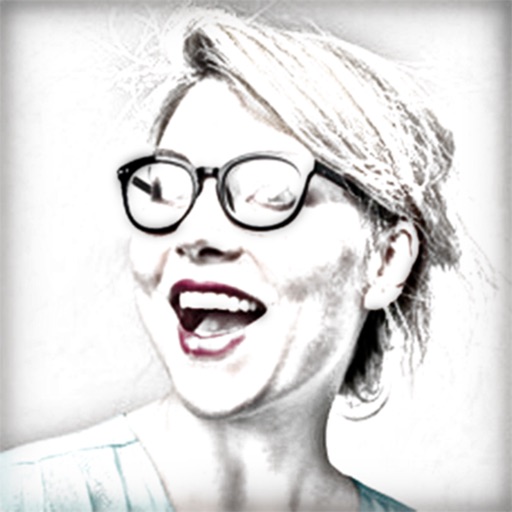
Convert photos to colored or black and white sketches using 7 available effects. Choose a photo from the library or take a new one. Apply a effect and save the result to the device. No internet connection is required.
Create greeting cards and postcards with customizable templates, decorations, stickers, emojis, and fonts. Add photos, adjust text, and export designs to share via social media or email.
Overlay two images for detailed comparison. Adjust transparency and alignment. Identify subtle differences with pixel-level accuracy. Save and share comparison results. Supports various image formats and resolutions.
Customize iPhone's and with 150+ pre-designed styles or create shapes. Apply wallpapers that blend with the display. Adjust design elements to fit personal preferences.
Apply filters to photos from the gallery or during capture. Choose from twelve unique styles including cartoon, sketch, and paint effects. Edit images with artistic filters and save or share the modified photos.
Create and style photos with single tap effects. Apply 8 filters including , Cartoon, and Dots. Share images to social media or save to photo library. Print photos directly.