

Apps Like Draw A Widget: Draw Things for iPhone and iPad
Draw A Widget: Draw Things screenshots
Ranked alternatives
Showing 61–80 of 1,000 ranked alternatives.

iOrnament: draw mandala & art
Juergen Richter-Gebert
Create designs, patterns, and mandalas with
Create intricate designs, patterns, and mandalas using intuitive drawing tools. Use a single stroke to generate complex artwork. Access a variety of brushes and color options. Save and share creations directly.

Avatar Maker: Pony
EDUARD ZABOROVSKIY
Create custom characters with fragments
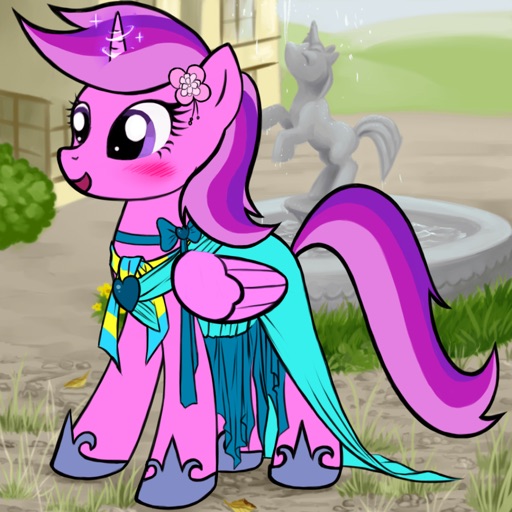
Create custom cartoon ponies by combining fragments for eyes, mouth, mane, color, horn, wings, and clothing. Choose from pegasus, unicorn, or alicorn styles. Save and share generated images or set them as wallpaper.

Lux Draw
Norbyte
Draw with light-inspired tools.
The app uses live-calculated brushes and strokes with HDR values for a unique art style. It offers gritty paper/canvas textures that interact with drawing tools for a satisfying look.

@Draw
Evolutive Apps S.L.
Draw and share your creations
Create and edit drawings with a variety of colors and brushes. Sketch freely and refine details. Save, share, and publish artwork. Include step-by-step process for each drawing. Export in multiple formats and share directly.


Drawing Desk: AR Trace & Paint
Farida Afrose
Draw, edit, and share digital art
Create digital art with 105 tools including pens, pencils, and brushes. Import and edit photos. Add text and rotate elements. Customize brush settings. Use customizable canvases. Save and share artwork.


Drawly: Learn to Draw Together
Sum of Technologies Ltd
With friends and share artwork
Allows users to create drawings with customizable tools and layers. Share artwork with friends or join collaborative sessions. Access weekly drawing lessons and tutorials. Save and organize projects in a personal gallery.

Simple Doodle Canvas
Mohammed Hashwan
Draw, sketch, save creations
Create sketches and freehand drawings with adjustable brush sizes and colors. Save creations to device. Use full-screen drawing area for artistic notes or quick doodles.
Draw for iPad with fingers
Patrick UNG
Draw write share save creations easily.
The app allows users to draw and write on their iPad, functioning as a notepad or blackboard. Users can add typed text, choose background colors, and save or share their creations via email or social media.


Complete Puzzle: Draw One Part
Asim Ashraf
Missing parts and scenes
Identify missing parts in scenes and them to the image. Tap to select drawing tools and adjust strokes. View completed scenes and compare with original. Track progress through different puzzle levels.

Scratchify: Scratch Draw Art!
linkedPIXEL
Create art with effects and brushes
Create colorful designs using art effects with 48 unique brushes and 48 shapes across six categories. Use symmetry and inverse drawing modes for creative effects. Apply dynamic textures and -off particles for realistic results.
How we rank alternatives
Apps are ranked by functional similarity, category fit, rating confidence, and popularity.