Record and manipulate audio with a virtual deck featuring 3 controllable read heads, variable delay, and feedback. Sample, loop, and overdub audio. Use as a master effect or virtual recorder. Realtime visualization of movement and effects.
Create and manipulate music using real synthesis and 2,500+ samples from actual video game chips. Adjust waveform parameters, apply filters, and layer sounds. Export tracks and share directly.
Create and sequence musical patterns using a 32-step matrix. nd manipulate synth sounds with generative features. Connect via MIDI to external synthesizers for real-time control and sound shaping. Adjust parameters to customize tones and rhythms.
Create and manipulate sound with three independent synthesizers. Adjust pitch from 8–20,000 Hz. Slide or snap notes to scales with customizable glide rates. Set and edit individual notes for precise musical control.
The app provides a sophisticated equalizer with up to 36 Peak Filters for precise frequency response design. Users can sculpt sound through its embedded sampler or live input, with additional effects like ClassicVerb available.
Create and play music with a variety of vintage sounds. Record and compose tracks. Perform live with customizable patterns and effects. Export audio files and share directly.
Create and customize rhythmic patterns using authentic loops. Add percussion instruments and adjust tempo. Export tracks and share via social media or cloud services. Sync with MIDI devices for live performance.
Create and edit beats using samples and sequencer programming. Tap pads or use advanced controls for sound shaping. Build complex sequences and customize rhythms. Export projects and share beats directly.
Play Middle Eastern with over 300 rhythms from Egypt, Morocco, Iran, Turkey, and Greece. Adjust tempo and measure types including 4/4, 7/8, and 15/16. Layer sounds with Round Robin samples. Export performances and share files.
Allows users to create and edit music using virtual analog synthesizers and multi-effects. It supports loading as an instrument, audio effect, or MIDI processor within host applications.
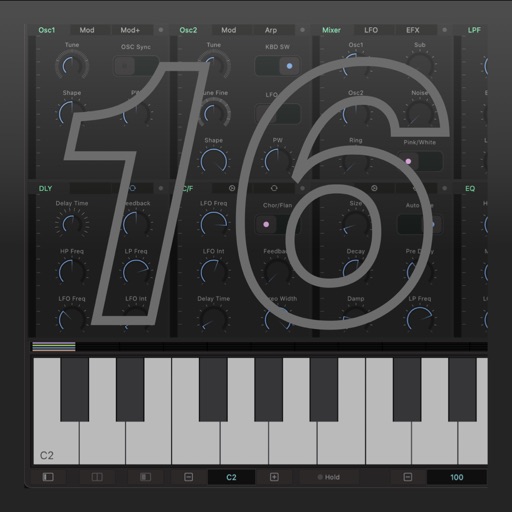
Create drum sounds using 16 voices with synthesizer and sample player features. Adjust oscillators with filters and modulation. Control sample position and stereo effects per voice. Modify pitch and amplitude with envelopes and MIDI CC.
Create and edit progressions with inversions, sus2, sus4, 7th, and 9th chords. Play chords as piano or synth or send MIDI to macOS. Use phone as MIDI keyboard for macOS. Practice reading musical notation.
Control and customize Ableton Live with touch gestures and customizable layouts. Map MIDI controls to parameters, automate effects, and manage clips and scenes. Adjust sensitivity and layout for precise performance.