Apps Like AI Background Eraser, Changer for iPhone and iPad
Edit photos and replace backgrounds
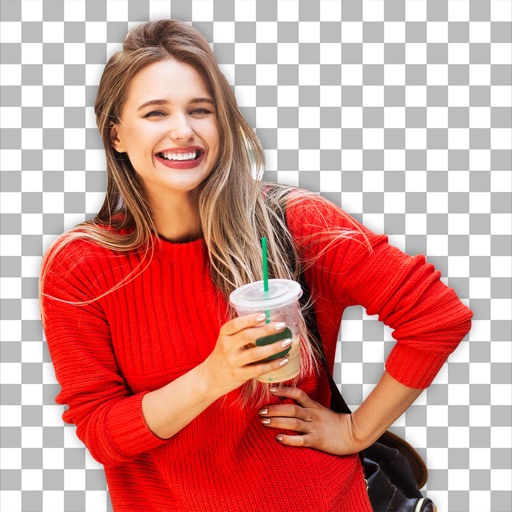
Remove backgrounds from photos using AI technology. Replace backgrounds with photos from the library, captured images, or selected colors. Adjust settings for precise edits. Export edited images directly.
by Yajing Qian★ 4.413 ratingsPhoto & VideoFreeData updated 2026-09-06
Edit photos with facial adjustment tools for eyes, nose, lips, eyebrows, and jawline. Retouch skin, whiten teeth, and remove dark circles. Apply makeup with customizable options. Adjust backgrounds and export in multiple formats.
Remove from photos using a freehand cut tool. Select images and create multiple cutouts. Edit cutout details for precise results. Use cutouts as stickers or stamps on other photos. Move, zoom, and rotate cutouts for flexible editing.
Edit videos, erase objects, remove unwanted elements
Edit videos by removing objects, people, or unwanted elements. Use a magic tool to clean up clips quickly. Erase specific areas with precision and save edited videos for sharing.
Edit photos with auto and drawing tools. Apply 20+ effects and unique shapes. Zoom for high-resolution details. Use brush offset to avoid finger interference. Preview and adjust focus areas. Export edited images directly.
Remove unwanted objects from photos using AI-powered detection. Select and erase elements with simple taps. Adjust edges and refine results manually. Export edited images in high quality. Share directly to social media or messaging apps.
Add and to with customizable fonts and animations. Position and resize anywhere on the screen. Set duration using a time slider. Crop to square. Choose from preloaded or . Apply start and end animations to elements.
Find quotes by topic and create custom . Select from solid color, gradient, or photo backgrounds. Choose fonts and customize text with emojis. Adjust size, color, transparency, and layout. Preview and save the design.
Edit photos using voice commands to describe desired changes. Animate static images to motion. Test virtual haircuts and styles on photos. Save and share edited images directly.
View and set live wallpapers for sports like , Basketball, Hockey, and Baseball. Access over 3457 HD backgrounds in 4K and Full HD. Receive weekly updates for new content. Switch between live wallpapers and static images.
Simulate realistic fire effects with augmented reality camera mode. Interact with flames using multitouch, accelerometers, and gyroscopic sensors. Adjust settings, choose backgrounds, and view a burning clock. Wind effects respond to device movement.
Edit photos to full size on Instagram . Stretch edge pixels to fill gaps. Choose from blur, mosaic, color, and pattern backgrounds. Take photos directly or import from gallery.
Remove from photos by selecting areas to erase or using color selection. Add custom backgrounds. Undo or reset edits. Import photos from phone or take new shots with the built-in camera.
Edit photos with filters, effects, and backgrounds. Create collages and layouts with ready-made designs. Crop and mirror images for social media. Add text and frames. Share edited photos directly to WhatsApp and Instagram.
Edit photos using a variety of art filters and effects. Apply themed backgrounds and templates like Memphis, Poster, and Tropical. Customize designs with layered elements and export edited images in multiple formats.
Edit photos by removing backgrounds with AI and replacing them with 250+ options. Apply 300+ ready-to-use templates. Add effects and adjust colors. Save and share edited images directly.