Apps Like AI Background Eraser, Changer for iPhone and iPad
Edit photos and replace backgrounds
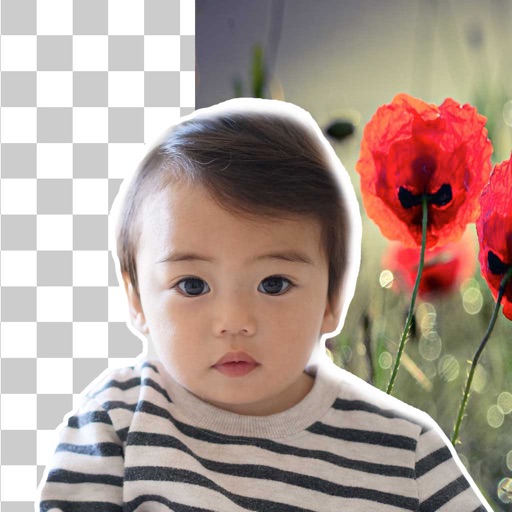
Remove backgrounds from photos using AI technology. Replace backgrounds with photos from the library, captured images, or selected colors. Adjust settings for precise edits. Export edited images directly.
by Yajing Qian★ 4.413 ratingsPhoto & VideoFreeData updated 2026-09-06
Remove backgrounds from images using AI-powered erasing. Cut out objects with precision and create transparent backgrounds. Save as PNG or edit layers for detailed adjustments. Share edited images directly.
Remove unwanted parts of photos using AI-powered erasing. Add colors or images to create new backgrounds. Crop, draw over, and undo edits. Zoom for precision and blur edges. Save and share edited photos.
Remove from photos and videos automatically. Edit the color or upload a new image. Export edited media in original format. Share directly to social platforms.
Edit photos with filters, cropping, and brightness adjustments. Create collages and custom cards with design tools. Add text, stickers, and backgrounds. Export edited photos in various formats and share directly.
Edit photos with AI-powered background removal and replacement. Choose transparent, white, or custom scene backgrounds. Generate realistic shadows and adjust lighting. Export in high-quality formats and share directly.
Remove backgrounds from photos using brush tools with adjustable size and hardness. Erase selected areas with undo and redo options. Add text with customizable font and formatting. Place edited photos on various templates.
Customize by selecting backgrounds, button designs, sounds, and special effects. Choose and colors for keypad appearance. Create multiple unique keyboards with personalized styles.
Backgrounds from images and videos using AI and chroma key technology. Erase or restore details manually with pro tools. Edit social media profile pics, GIFs, and memes by removing backgrounds. Export edited content for online stores or sharing.
Merge photos into artistic compositions by selectively editing and combining image elements. Remove or re-add parts using finger painting techniques. Adjust brush settings for precise control.
Merge multiple photos into a single artwork by selecting and combining image sections. Remove or re-add parts using finger painting techniques. Adjust brush settings for precision.
Turn photos into animated videos with AI-powered effects. Choose from trending templates for TikTok, Instagram Reels, and YouTube Shorts. videos with trimming, filters, and transitions. Export and share directly to social media platforms.
Remove backgrounds with one-tap AI detection. Adjust edges and transparency manually. Replace backgrounds with solid colors or images. Export edited photos in high resolution.
Edit photos with sky glow filter and relight features. Change background elements and remove or replace skies. Adjust sky tones and add effects. Export edited images in various formats.
Remove backgrounds from images using U^2-Net technology. Apply customizable themes and color backgrounds. Enhance social media profiles with professional-looking designs. Export edited images directly.
Create AI-generated videos and explore future baby simulations. Edit photos with AI headshot generation, face swapping, hairstyle changes, color replacement, and skin retouching.
Remove objects, people, and backgrounds from photos using AI-powered tools. Edit imions and export images. Perform basic retouching and access three free removals daily.
Arthur Eduardo Skaetta Alvarez Desenvolvimento de Software LTDA.
Create ID with AI framing and background
Create professional ID by auto-framing and cropping images to specified dimensions. Remove and replace backgrounds with a single tap. Export as digital files or print at required sizes.
Edit photos with smart foreground recognition to isolate subjects. Add customizable with options for font style, size, color, opacity, alignment, spacing, shadow effects, and background colors. Crop images using an easy-to-use tool.
Create professional-quality graphics by adding overlays, fonts, backgrounds, and filters to photos. Edit images with cropping and adjustments. Share designs directly to social media platforms.