Practice calligraphy on iPad with four brush styles:楷书, 行楷, 行书, and 行草. Choose from 20+ background patterns. Save and share handwritten images. Replay writing sessions to review strokes.
by 国燕 韩★ 4.2110 ratingsEducationFreeData updated 2026-09-08
Learn with interactive lessons covering writing, listening, speaking, reading, and culture. Practice vocabulary and grammar through exercises. Record and review spoken responses. Access audio and video content for immersive learning.
Get academic help from expert writers to improve grades and boost GPA. Submit assignments on time with deadline reminders. Access writing guides and feedback to enhance learning and reduce stress.
Create and customize 2D platformer levels using the built-in editor. Upload levels to the server for others to play. Participate in co-op multiplayer sessions with friends. Rate and discover levels from other players.
Create art with customizable themes like Unicorn, Candy, and Halloween. Choose shapes, polish colors, glitters, and patterns. Add stickers, gems, rings, bracelets, and jewelry. Save or share finished designs.
Look up Chinese characters by single or multiple entries to view different calligraphy styles and master attributions. Access calligrapher details and bookmark favorite works. Practice writing by selecting characters and tracing strokes.
Solve crosswords with four difficulty levels based on word frequency. Input answers manually or use hints. Track progress and review vocabulary. Practice English words through clue-based puzzles.
Create and customize magical unicorns with various accessories, colors, and gemstones. Choose unique styles and outfits. Take photos of designed unicorns. Designed for preschoolers and toddlers to foster creativity through playful fashion design.
Learn , practice pronunciation, and write characters
Learn audio and visual aids for all sounds. Practice handwriting through tracing and free-writing exercises. Test knowledge interactive games and quizzes. Build vocabulary basic character recognition and pronunciation guides.
Learn 1 to 10 through interactive games. Practice writing with tracing exercises. Match to quantities with visual puzzles. Play "Catch the NumBlot" to identify and collect number characters. Track progress with built-in feedback and repetition.
Write on ruled or blank paper with multiple line sizes and paper types. Choose from 20 colors. Continue on existing paper. Includes calming background music.
Create and customize virtual guns using a variety of building blocks and materials. Compete in real-time multiplayer matches against friends or global players. Share custom creations and access new levels and content regularly.
Through interactive lessons and exercises for children and . Practice reading, writing, and speaking with 36 topics across three levels. Complete four activities and tests per topic. Study 500 vocabulary words with images and audio.
Japanese through interactive lessons and character breakdowns. Practice writing and reading with flashcards and quizzes. Track progress with detailed statistics and review sessions.
Create digital notes and sketches on a blank canvas. Draw freehand or use preloaded templates. Erase or clear sections. Save and share drawings. Collaborate in real time with others. Import images and text. Adjust colors and brush sizes.
Create art by painting 3D objects, plants, animals, and planets. Adjust brush settings for precision. Save and share completed paintings. Enjoy a calming and engaging drawing experience.
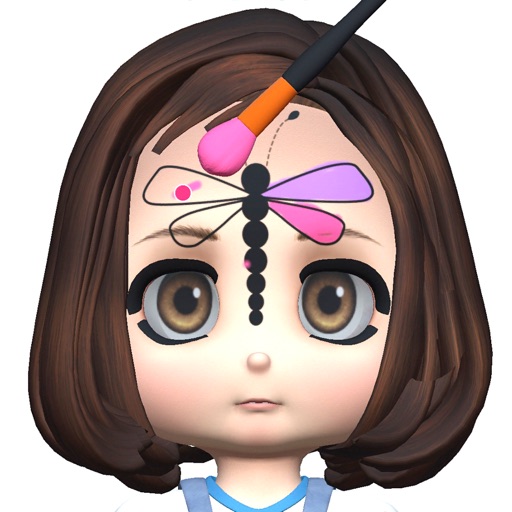
Paint faces using a variety of color palettes and trendy art styles. Select from numerous characters to customize. Apply paint to create detailed facial designs and save or share the results.
Play four variants: Klondike, Spider, Freecell, and Pyramid. Customize game settings and themes. Adjust difficulty levels and card animations. Track game progress and save multiple sessions. Share scores and compete online.