Adjust audio by boosting and increasing in videos and audio files. Remove background noise and static. Clean up sound and optimize for device speakers. Use battery-efficient audio enhancement features.
Adjust audio levels with a for louder playback. Enhance with adjustable settings for deeper sound. Use a 7-band equalizer to customize frequency settings for precise audio control.
Adjust for 4 adjustable frequency bands. bass focus in the center channel and maintain spacious mid-range imaging. Solo each band for individual auditioning.
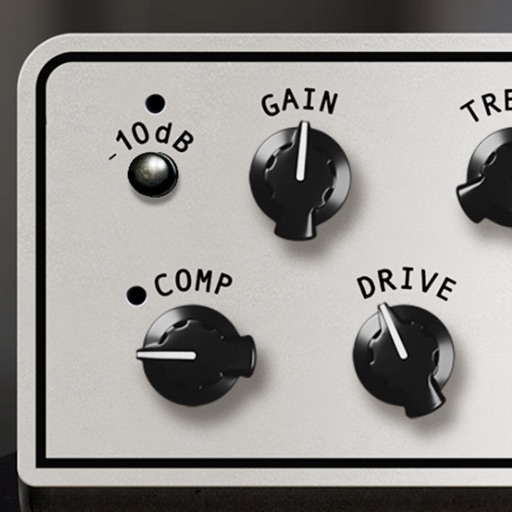
Adjust sound with Drive, Tone, and Level controls. Modify audio signals using a classic pedal model. Apply effects to guitar or audio inputs. Save and recall preset configurations. Export processed audio files.
Play and record Tone Models on iPhone or iPad. Access sound-shaping tools and browse additional models via ToneNET. Edit and save presets. Connect to iRig interfaces. Use as a standalone or AUv3 plug-in.
Allows users to create custom delay signals using three effect racks. Effects can be inserted before, during, or after the delay loop. Users adjust signal flow by selecting and arranging effect modules across the racks.
Control audio settings via Bluetooth connection to compatible receivers. Adjust volume, power on/off, switch input modes. Access radio bands, seek, presets, and auto store features. Manage Bluetooth connections and input sources remotely.
Practice bass with real-time metronome and tuner. Jam with live drum samples from Mark Guiliana and Nate Wood. Record and loop grooves. Track progress with practice sessions. Sync with Apple Health for activity tracking.
Drums lets users select from three drummers with distinct styles. Adjust jam level and intensity using a 2D slider. Save mixer and effects settings for each sound bank. Toggle ride/hats and cross stick/snare options.
Adjust audio with boost for deeper sound and volume for louder playback. Use equalizer controls to customize frequencies. Enhance music clarity and apply sound effects for personalized listening.
Create and customize drum rhythms with real recorded drum sounds from the Paul Rennick 2012 Santa Clara Vanguard. Play along with pre-recorded drum lines, practice timing, and edit beats. Adjust time signatures and share compositions.
Create and manipulate audio samples with granular synthesis and cloud-based sampling. Use MPE for expressive control. Access samples across iOS and desktop devices. Adjust parameters for precise sound shaping. Export and share audio files directly.