Create and customize synthesizers using modular components. Build audio and MIDI effects. Control external apps and hardware. Explore modular synthesis concepts. Perform live with customizable setups. Sync with macOS via Audio Unit and VST plugins.
Practice with interactive exercises that improve accuracy, rhythm, and note recognition. Use MIDI instruments, microphone input, or on-screen keyboard for flexible practice. Track progress and refine musical skills through targeted sessions.
Create and manipulate sounds with adjustable filters, oscillators, and envelopes. Play chords, access over 160 presets, and customize sound parameters. Export audio files and control the via MIDI.
Create custom with scrapbook paper and charms. Sew pages using a sewing machine. Add decorative elements and organize content. Save and share journal designs. Manage privacy settings for data sharing.
Create and play music with a 64-voice virtual analog and PCM . Access 500+ presets from various artists. Adjust filters, envelopes, and modulation parameters. Save and recall custom patches. Export audio files and share directly.
Play multiplayer with 2 to 4 players on a single device without internet. Choose from various including battle , arcade competitions, and sports challenges. Control characters with simple touch inputs and compete against friends or family.
Create deep, customizable sounds with adjustable waveform and filter settings. Use as a standalone or plugin. Run multiple instances for layered sound design. Adjust sub- frequency and resonance for precise tone control.
Play with a full 88-key keyboard. Adjust key size for easier touch. Choose from a sampled or 128 MIDI instruments. Zoom in and out for better control. Includes a single banner ad. Optimized for iPad use.
Play audio files and display lyrics or PDFs alongside playback. Automatically scroll text as tracks play. Rearrange songs using loops and audio segments.
Play virtual instruments with multitimbral capabilities. Supports standalone or plugin mode. Compatible with macOS, Windows, Linux, and iOS. Adjust interface size for different monitor setups. Control via SL Keyboard or other MIDI inputs.
Create and edit music using sampled Mellotron sounds from the 1960s. Access a library of instrument tapes including strings, choirs, and horns. Adjust pitch, volume, and effects. Export projects in audio formats and share files directly.
Real-time with customizable effects and export options. Users can import from playlists or files, select from four visual packages with eight visuals each, and adjust settings for each visual. Export visuals and share on social media.
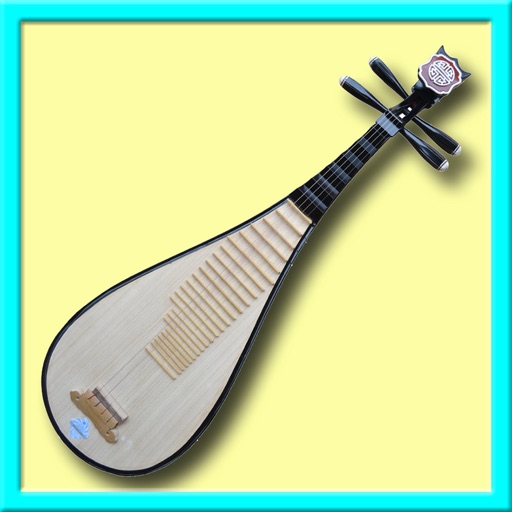
Learn about musical through interactive lessons and historical context. Play virtual with touch controls. Access instrument diagrams and sound samples. Switch between and English language interfaces.
Create and save multi-track music projects on iPad, iPhone, or Mac. Record and import audio tracks, browse samples with previews, apply effects, and use high-quality synthesizers and drum kits. Edit, mix, and render complete songs.
Learn to read sheet with timed and untimed practice in treble, bass, and alto clefs. Identify notes, review mistakes, and track progress. Includes sight-reading exercises and note identification drills.
Create and manipulate audio loops with customizable settings. Sample and sequence MIDI data. Host plugins and build custom effect chains. Sync with external devices and control performance parameters in real time.