Create and edit music using sampled Mellotron sounds from the 1960s. Access a library of instrument tapes including strings, choirs, and horns. Adjust pitch, volume, and effects. Export projects in audio formats and share files directly.
Create and edit musical scores with multi-staff and multi-voice editors. Add notes and chords using the Pencil tool. Transpose sections with vertical drag. Use On-Screen piano for quick composition. Select and adjust elements with the Select tool.
Learn notes and chords through interactive . Identify key signatures for major and minor scales. Guess notes on treble and bass clefs. Play competitive to practice guitar and piano chords using a MIDI keyboard.
Explore musical instruments and their characteristics.
The app provides details on dozens of instruments, including registers, transpositions, playability, and sound characteristics. Users can explore instruments by family, alphabet, or score order, and see highlighted registers by difficulty and timbre.
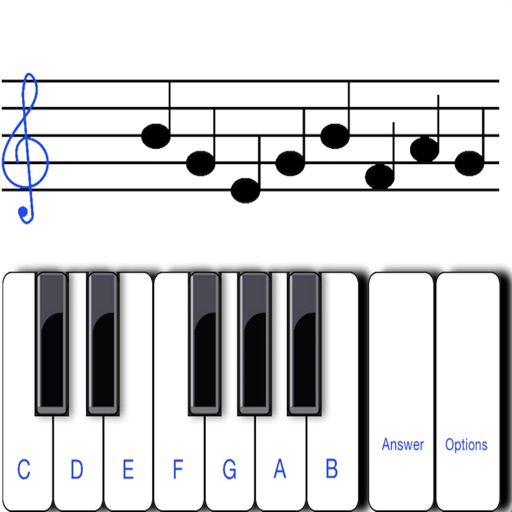
To notes in G and F clefs. Practice notes above and below the staff across six octaves. Randomly generated notes apply to any instrument. Switch clefs for varied practice. Receive feedback on missed notes. Set pace and limit octaves for beginners.
Learn guitar and other stringed instruments by identifying notes on the fretboard. Choose correct notes from multiple options. Practice with various instruments including bass, mandolin, ukulele, and banjo.
Edit audio files with waveform visualization. Change playback and pitch independently. Record and save modified audio. Separate stems to isolate vocals, guitars, or drums. Create backing tracks or practice isolated instruments.
Practice with exercises on key signatures, intervals, and chords. Identify notes in treble and mezzo-soprano clefs. Train sight reading with varying difficulty levels. Learn about triads, sevenths, and extended chords.
Tune instruments with real-time pitch detection and 0.1-cent accuracy. Support for string, brass, woodwind, and percussion instruments. Includes tuning mode, waveform inspection, and noise reduction. Calibrate to live sound or A4 standard.
Tune string instruments by playing chords and adjusting strings based on visual feedback. Use a chromatic to match desired notes with color indicators. Select instruments like guitar, banjo, or violin for accurate tuning.
Create and edit using a virtual piano keyboard. Export and import MusicXML files for compatibility with other software. Compose simple piano pieces or complex symphonies. View and adjust musical scores with a user-friendly interface.
Create and customize synthesizers using modular components. Build audio and MIDI effects. Control external apps and hardware. Explore modular synthesis concepts. Perform live with customizable setups. Sync with macOS via Audio Unit and VST plugins.
Practice sight-singing and instrumental reading with guide vocals and piano accompaniment. Access over 290 melodies, including 140 solfeggi by Nikolay Ladukhin and famous pieces by Bach, Mozart, Beethoven, Fauré, and Debussy.
Access fingerings for woodwinds and brass instruments with alternate and trill options. Retrieve fingerings from written or concert pitch. Supports Piccolo, Flutes, Oboe, Clarinets, Saxophones, and various trumpets and horns.
Create musical compositions using numbered notation with support for various rhythms and pitches. Input lyrics and accidentals, and adjust key signatures and tempo. Play back notation with sound, select sections for playback, and set instruments.