Apps Like Frames: AI Video Generator for iPhone and iPad
Create videos with AI-powered editing
Create videos from text descriptions using AI technology. Generate footage without editing skills. Sync with devices to view and share videos. Edit clips with trimming and transitions. Add music and visual effects.
by Pixelcut Inc.★ 4.7610 ratingsPhoto & VideoFreeData updated 2026-09-06
Generate videos from text input using AI. Create videos with realistic motion and detailed scenes. Edit generated videos with trimming and exporting options. Share videos directly to social media platforms.
Create videos and share directly. Apply themes for birthdays, weddings, and celebrations. Add animated transitions and multiple songs. Edit filters, text, and customize effects. Export and share finished videos.
Edit photos and videos with like Analog Noise, Digital Noise, and VHS Noise. Apply such as Color Aberration, Datamosh, and Pixel Sorting. Save edited content as animated GIFs. Export in 4K resolution.
Create AI-generated videos and images from text prompts. Select from various art styles like anime, cinematic, and cyberpunk. Generate content instantly based on written descriptions. Receive suggested prompts to refine your creations.
Create custom stickers with text templates and professional designs. Add personal messages to stickers. Share stickers with friends. Edit and customize appearance quickly.
Create digital art by adding with customizable fonts to images. Choose from stamps, photo effects, and backgrounds. Design memes, greeting cards, and birthday images. Share finished creations directly.
Create videos by transforming ideas into visuals. Animate static images into engaging animations. Convert text into videos by typing. Add voiceovers and background music. Edit frames, adjust timing, and export in multiple formats.
Convert photos and videos to art with 30+ styles and 10+ effects. Record art videos directly or apply the style to existing clips. Save results as videos, live photos, or gifs. Adjust settings to customize the pixelation effect.
Analyze aging progress with facial recognition. Apply trendy hairstyles and colors instantly. Animate selfies and photos with singing effects. Edit videos with high-quality templates and transitions. Create cartoon self-portraits.
Edit photos and videos with a variety of and effects. Apply trendy styles to enhance visuals. Create original content with editing tools. Export and share edited media directly. Sync with social platforms for seamless posting.
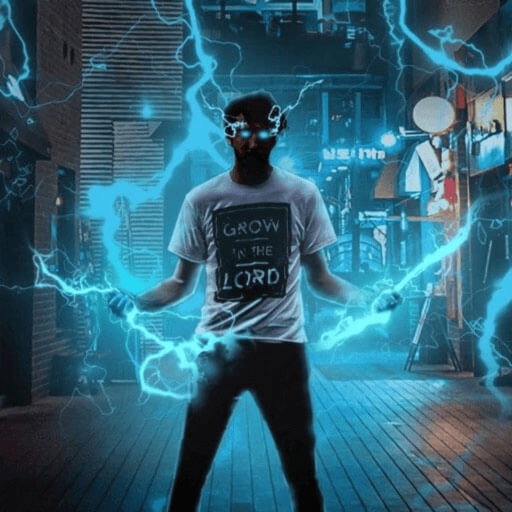
Record and edit videos with visual and templates. Add elements like dragons, magic circles, and space scenes. Include such as fire, laser, and lightning. Export and share edited videos directly.
Create VHS-style videos with camcorder effects and glitches. Record photos and videos. Adjust dates and apply filters. Edit footage with 90s-inspired tools. Share finished projects directly.
Create AI-generated images using customizable styles and avatars. Edit photos with advanced tools. Generate unique visuals based on text prompts. Save and share edited images. Explore different character and scenario templates.
Create collages with multiple layouts and effects. Combine photos from gallery or camera. Merge videos into single clips. Add transitions and effects. Edit images with cropping and filters. Share finished collages directly.
Edit photos by adjusting shape with a slider, protect background from distortions, remove unwanted objects with a swipe, blur specific elements, and automatically remove backgrounds. Access advanced features via a subscription.
Edit videos with overlays, aesthetic effects, and filters. Add sound and music. Create vlogs, social media reels, and cinematic clips. Export edited videos in various formats.
Photos with custom intensity and size settings. Zoom and pan for precise editing. Share edited images via Facebook, Twitter, Instagram, or email. Undo and redo changes.
Create photos and videos without cropping. Select a photo or video, choose a background, and share directly. Edit frames and adjust settings before posting. Sync with Instagram profile for quick uploads.
Edit photos and videos with brightness, contrast, hue, saturation, and color filters. Add texture using blur, noise, dust, and dark corners. Apply vintage film-inspired filters for a retro look. Export and share edited content.