Create illustrations with a spacious canvas and customizable screen settings for iPad users. Use a wide range of brushes and tools for detailed drawing. Save work automatically to the cloud and adjust panels for comfort and efficiency.
by Pixiv Inc.★ 4.684 ratingsGraphics & DesignFreeData updated 2026-09-06
Create fashion designs using 1,800+ templates and material brushes for fabric textures. Use technical brushes for production drawings. Generate AI-powered videos. Arrange layouts on presentation boards.
Load local or remote m3u, xspf, jspf playlists from the internet. Cast videos to TV via AirPlay or Chromecast. Automatically scan and preview channels in playlists. Edit and share playlists with others. Sync playlists across devices.
Record videos and photos with customizable stamps. Add timestamps with adjustable formats, colors, positions, and sizes. Automatically add timestamps during recording. Save and share timestamped media files.
Create and share digital art customizable brushes, unlimited colors, and layer support. Zoom, pan, and adjust brush parameters. Rotate, mirror, and undo steps. Participate in challenges like tracing or completing others' drawings.
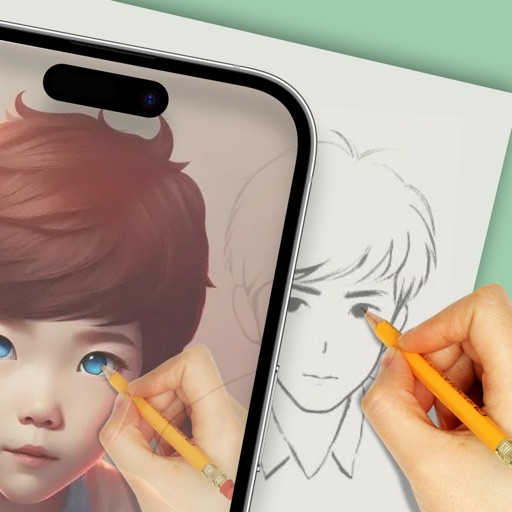
Learn to sketch figures and garments with step-by-step guidance. Create and manage layers for detailed illustrations. Use AI tools to generate clothing and accessories in specific styles. Add body types including models, women, men, and plus size.
The app allows users to capture photos with customizable information overlays, including location, date, and comments. Photos can be stored within the app or exported to cloud services with flexible options.
The app provides a full set of tools for creating hand-drawn animation. It offers features like a timeline with unlimited layers, onion skinning, and audio import for lip syncing.
The app uses live-calculated brushes and strokes with HDR values for a unique art style. It offers gritty paper/canvas textures that interact with drawing tools for a satisfying look.
Select and edit photos from the album or camera. Use the lasso tool to draw a closed path for blurring. Adjust difficult areas with the Touch feature. Apply over 30 effects and fine-tune the selection.
3D objects with LiDAR or cloud photogrammetry for detailed models. Use Gaussian Splatting for realistic AR scans, including transparent and reflective surfaces. Generate AR QR codes from 3D models for direct viewing. Customize AR designs.
Create gallery-style portraits from images using automatic painting tools. Add color, light, and texture for realistic effects. Choose between classic-style brushes or modern-colored options. Save and share finished artworks.
Create paintings by drawing closed areas and filling them with color. Use finger strokes to build realistic landscapes. Share artwork or print to canvas. No prior artistic skill required.
Create still or animated drawings that flow and evolve. Use generative brushes for natural, responsive sketching. Design fluid artwork for backgrounds or sharing. Adjust brush settings for precise control. Export drawings in various formats.
Create and edit digital artwork using AI-generated models. Upload images to apply artistic styles. Access a marketplace for AI models. Collaborate with other artists. Export artwork in various formats. Adjust colors, layers, and effects.
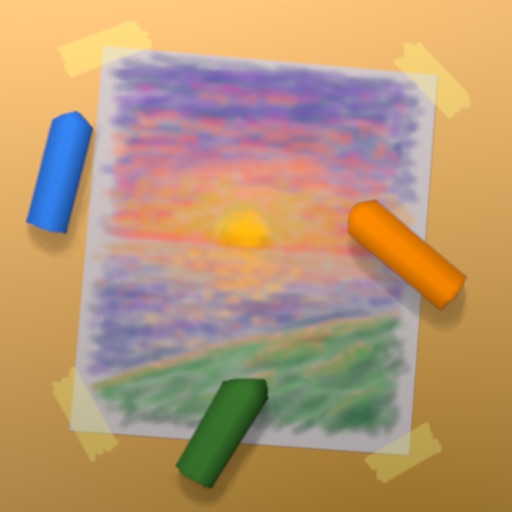
Create artwork with realistic pastel simulation using live-calculated brushes and strokes. Sketch or paint digitally, test compositions, and refine techniques without physical supplies. Save and share paintings directly.
Use augmented reality to draw on any surface. Create sketches with AI-assisted tools. Select and customize NFT images from your phone gallery. Export drawings in various formats. Share artwork directly from the .
Create 3D models of products, objects, and scenes using an iPhone 11 or newer. and share high-quality 3D content online. Generate cinematic product videos and dynamic camera movements for TikTok. Export and view 3D scenes directly on the web.
Edit photos by blurring backgrounds, faces, or specific subjects. Apply various effects and filters. Save edited images to the camera roll or share them directly.