A and unit/currency with a clean interface. Convert between 500 units across 29 categories and 161 currencies. Customize colors and display selected units. Enter values to instantly convert between units.
Perform calculations using reverse Polish notation. Swipe to undo or redo operations. Access a 100-entry stack and 6 memory buttons. View large, easy-to-read displays. Save state on exit. Supports scientific functions and multiple undo/redo levels.
Graph equations and calculate advanced math functions
Graph functions with support for multiple equations and color differentiation. Plot up to ten functions simultaneously. Use touch gestures to zoom and trace graphs. Perform calculations using natural textbook notation and advanced math commands.
Calculate, add, subtract, multiply, divide, and percentage
Perform basic arithmetic operations including addition, subtraction, multiplication, and division. Calculate percentages and use memory functions like M+, M-, MR, MU, and GT. Includes square root functionality.
Calculate with four modes: basic for arithmetic and percentages, scientific for algebra and trigonometry, programming for command line expressions in multiple numerical systems, and minimalist for simplicity.
Perform complex calculations with high-precision math functions including trigonometric, hyperbolic, and special functions. Calculate derivatives, integrals, and roots. Program custom functions and store equations.
The app offers a 64-bit calculator with 10 registers for saving values and multiple display options including Hex, Oct, and Bin. It includes trigonometric functions, unit conversions, and combinations/permutations calculations.
Create and manage albums. Import and export from the photo . Preserve and view Exif data including date, ISO, and GPS. Search by caption or description. Create slideshows and play videos. Edit with cropping, orientation adjustments, and filters.
Calculate with a dual-line display showing input and result simultaneously. Use percentage and backspace functions. Choose from 18 color themes. Enter multi-line equations. Automatically format scientific expressions. Access via Split View.
Calculate areas, solve trigonometry, and complete homework
Complete homework tasks with offline access and tools. Calculate areas and use basic and trigonometry calculators. Convert units and solve first- and second-degree equations. Additional features will be added soon.
Allows users to perform calculations using natural language inputs. It supports various units and functions for problem-solving. Users can handle currency conversions and date math in real time. The enables equation editing and result tracking.
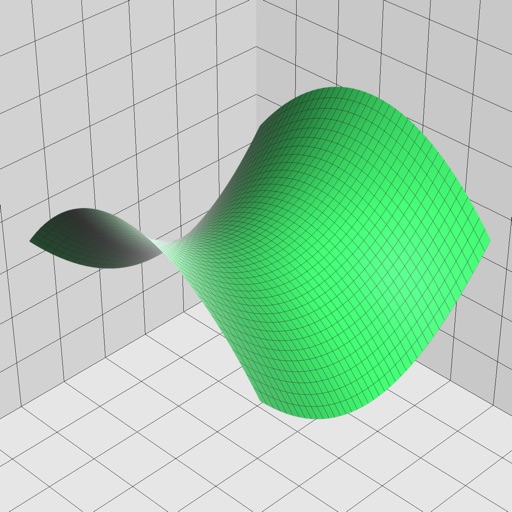
Enter and edit equations in mathematical notation. Visualize 2D and 3D graphs of explicit, implicit, and inequality equations. Adjust settings for display and analysis. Save and share calculations.
Perform complex calculations with support for real and complex numbers. Manipulate symbolic expressions and use over 225 built-in functions. Scroll through results with finger gestures. Copy and paste data for easy sharing.