Set event time and date, send invite link to friends. Upload photos to a live feed during the event. Afterward, view a curated 90-second video of highlights and download shared photos.
by Matas Masys★ 5.017 ratingsPhoto & VideoFreeData updated 2026-09-06
Create and customize layouts with images, logos, and text. Add stickers and filters. Capture photos and videos with background removal. Export in various formats and share directly. Run and video booths for events.
Organize photos and videos by date with a calendar view. Create albums for special events and memories. Automatically sort media by capture date. Store unlimited photos and videos without cost. Share albums directly from the .
Guests scan a QR code to capture photos and videos. Edit images with filters and cropping. Share content directly to social media or via email. Save photos in a private gallery. Add captions and tags to memories. Sync photos with -specific albums.
Create invitations with customizable templates for events like weddings, birthdays, and holidays. Choose from multiple background options and add personal photos. Edit text, colors, and layouts to design professional-looking cards.
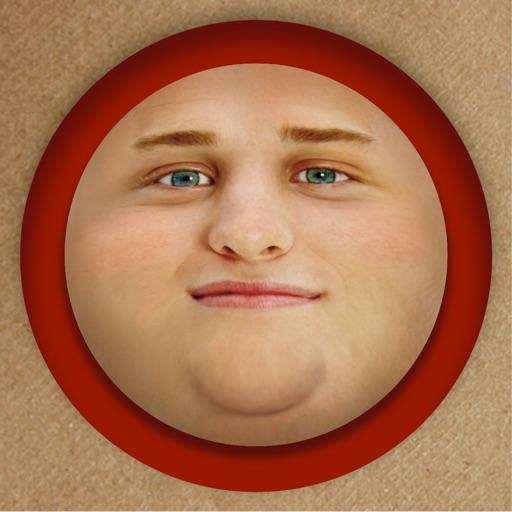
Edit photos by adding exaggerated weight gain effects to faces. Share modified images via email, iMessage, Instagram, Snapchat, Facebook, Twitter, and WhatsApp. Toggle between original and altered views using device shake.
Create dynamic animations from static photos using AI technology. Add motion, expressions, and sound to bring images to life. Share photos with friends and family through social media or messaging apps.
Capture moments, share instantly, co-create albums
Allows users to create shared photo albums by connecting nearby iPhones. Users can capture candid shots from multiple angles and compile them into a single live album.
Capture photos with automatic , date, GPS coordinates, and location stamps. Edit timestamps, add notes, and share photos with location details. Sync with maps for precise geotagging.
Create animated videos from photos or artwork using motion effects and transitions. Apply filters, adjust timing, and combine multiple images. Share finished animations to social media or via link.
Explore curated original created exclusively by the team. Upload and store photos securely in cloud storage. Receive a new wallpaper daily featuring recently created or favorite designs.
Stream web videos, online movies, livestreams, and live TV shows to Google Cast-enabled devices. Access personal photos, videos, and music. Cast content from compatible devices to TVs and gaming consoles.
Create slideshows using photos from the camera roll. Add music and artwork to enhance the presentation. Include text for narration. Time slides for Vine or Instagram. Export as video files.
Record videos and photos with high-quality output. Apply AI cartoon effects to transform images into various styles like Disney-inspired, minimalist anime, or comic-book renditions. Edit videos using an intuitive .
Organize photos with AI face recognition to automatically share images with friends. Create shared events for group memories. Sync and access photos across devices securely.
Instagram content without watermarks. Access profiles and stories. Copy share URLs from posts. to your feed or for later. Share reposted content to other platforms.
Create social videos using professional templates for Instagram, Facebook, and other platforms. Upload photos and clips from your device. Design collages and layouts with pre-made templates. Add animations and transitions.
Add text to photos with customizable shapes, adjusting height, width, color, and border. Design and share text overlays on images. Create social media posts, wallpapers, stickers, and event invitations. Export and share designs directly.
Capture low-light and night photos and videos with enhanced clarity and brightness. Record 4K time lapses and use Astronomy modes to capture stars and Northern Lights. Enable long exposure for detailed night scenes.