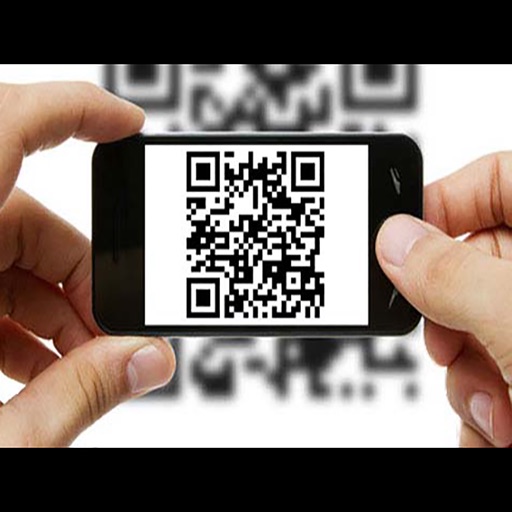
The app scans various barcodes including boarding passes, payment slips, and retail tags. It supports Code 39, Code 128, EAN 8, EAN 13, ITF, PDF417, QR code, UPC A, and UPC E.
Create QR codes for websites, contacts, locations, Wi-Fi, and more. Customize with colors and designs. Add logos or images for branding. Scan QR codes or barcodes. Search products online via barcode scanning.
Scan QR codes and barcodes with flash support. Read and save scanned codes to camera roll. Generate custom QR codes and barcodes. Share via mail, SMS, or copy to clipboard. View scan history and access Safari directly. Upload codes to Facebook.
Scan barcodes using a phone camera and send them directly to the Add by Barcode tab in CLZ Web software. View scanned results and manage barcode entries within the .
Scan barcodes and QR codes for instant product information. View details like price, description, and ratings. Compare prices on Amazon. Open links in a browser. Save scanned data for future reference. Share scanned items via email or messaging.
Scan and decode QR codes and barcodes including Aztec, Code 128, Code 39, DataMatrix, EAN13, Interleaved 2 of 5, UPC, and PDF417. Create QR codes for text, SMS, web links, email, and phone numbers. Customize QR codes with colors, images, and shapes.
QR Scanner allows users to scan and read QR codes and barcodes using their phone's camera. It provides product details, opens links, and connects to Wi-Fi. Users can save scan history and access previous scans.
QR codes and barcodes to retrieve product information quickly. Save history and perform batch scans. Use flashlight for low-light scanning. Create custom QR codes for websites, emails, phone numbers, and Wi-Fi.
QR code and reader scans and saves up to 100 histories. Generates QR codes from text input. Provides today extension and homescreen widget for quick access to scan history.
Decode QR codes containing contact details, text, URLs, phone numbers, and calendar events. Scan and read Data Matrix codes. Browse products and coupons. Add contacts directly to the address book. Store unlimited scan history. Share scans via SMS.
Scan barcodes and QR codes to access product details. Create custom barcodes with images and track item status, descriptions, and quantities. Search for products on Google, Amazon, and eBay. Manage saved codes and view scanning history.