Add to photos and videos. Apply glitter during capture or from the roll. Adjust intensity with a slider. Swipe to switch . Repost to Instagram. Share edited content directly.
Encrypt and protect photos, videos, and files with passcodes, face ID, or touch ID. Set fake passcodes and screen locks. Enable break-in alerts and recently deleted recovery. Backup data to the cloud and sync across devices.
Using artistic fonts and effects. Adjust size and shadow. Apply stickers and tattoos. Choose colors and rotate . Share edited directly to social media.
Edit photos with filters, masking, and color adjustments. Adjust brightness, contrast, and hue. Draw on images with customizable colors. Crop, rotate, and apply blur or focus effects. Export photos to the library.
Create collages by combining multiple images or videos. Adjust brightness, contrast, and color. Add text, stickers, and effects. Share finished projects on social media. Save edits in various formats.
Apply to photos and videos. Create VHS-style retro videos. Choose from a variety of date . Edit media from the device gallery. Subscribe for premium features. Automatically renew subscriptions unless disabled.
Split videos into customizable 15-second clips. Save high-quality clips to the photo library. Choose from predefined durations or set custom lengths. Share clips directly to social media platforms.
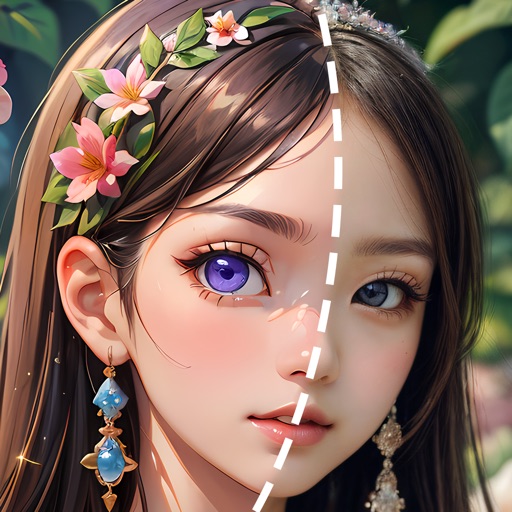
Edit photos using AI to generate realistic images or artistic styles. Choose from 1000+ creative options. Create collages and cartoon avatars. Adjust details and export edited photos in various formats.
Create videos from photos with slide transitions like left, down, or fade. Adjust photo display time and add background music. Export and share the final video.
Create ID photos with AI-powered background removal and people segmentation. Edit images by removing backgrounds and adjusting elements. Access weekly updates and premium features with a subscription. Export edited images in various formats.
Edit photos using 300+ unique , with daily additions and categories for easy navigation. Apply filters, adjust colors, and save edits. Export photos in various formats. Access all with FLTRUM Pro.
Combine clips from different days into a timelapse compilation. Select 1, 2, or 3 snippets. Merge clips to create a continuous . Watch compiled videos to relive moments. Share finished videos directly.
Convert and audio files between formats like MP4 to MP3 or MP3 to FLAC. Trim and audio clips. Edit MP3 metadata. Create ringtones from audio files. Play MP3, M4A, W4P, WP4, AAC, and WA files.
Search videos from embedded web browsers and stream them to TV or devices. Bookmark, save recent plays, and create playlists. Access most visited videos and watch without ads.
Create palette reference images from photos. Select a photo from the library. Resize, reposition, and crop the photo into a square frame. palette automatically or pick colors manually. Change the layout using templates.
Record videos with on-screen text guidance. Adjust scroll speed and text size for customization. Set fill colors for high contrast. Align text left, center, or right. Flip or mirror for glass rigs. Use front or back camera for shooting.