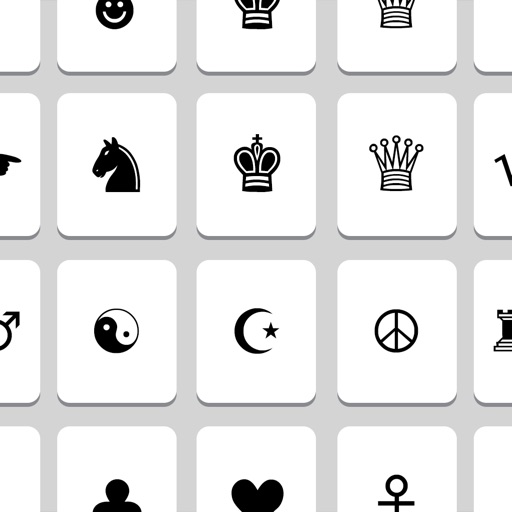
Send custom and emojis to friends. Access over 500 unique not found on standard devices. Copy to clipboard or share via text, email, and other messaging apps. Create custom combinations for messages.
Secure data transfer with visualized network control
Provides real-time network monitoring with latency, jitter, and loss visualizations. Users can perform speed tests with animated progress and save results. Configure network settings with built-in tools for URL and folder connections.
Copy :// links directly from websites or apps. Tap a link to open . Copy the link to your clipboard. Share it or use it with other apps without additional steps. Manage links efficiently on iOS devices.
Convert text to various formats and extract key information. Clean text by removing unnecessary content. Use as a share extension, today widget, or within shortcuts. Perform 69 actions across 8 categories.
Manage bookmarks across iPhone, iPad, and Mac. Search using Spotlight. Input links and notes with keyboard. Organize with tags, folders, and Smart Lists. Store images, files, and notes.
Manage passwords with encrypted storage and iCloud synchronization. Unlock using Touch ID. Search and sort saved credentials. Back up and restore data locally or via iCloud. Automatically lock the after inactivity.
Font allows users to apply 100+ fonts and text styles to typed content. Customize font appearance and receive regular updates. Manage entries with one-tap shortcuts for phrases, links, and emojis. Toggle copy and instantly.
Save copied text, addresses, contact details, images, and links automatically. Create custom shortcuts for frequent content. Access stored items quickly. Share or saved content directly. Manage clipboard history and organize saved items.
Calculate hashes for any string using MD2, MD4, MD5, SHA1, SHA224, SHA256, SHA384, SHA512, Whirlpool, CRC32, or Adler32. Copy results to clipboard or email them. Encode or decode data with Base32 or Base64.
The app offers over 500 Unicode symbols across seven categories. Users can send fun characters via email, messages, or copy them to the clipboard for use in any application.