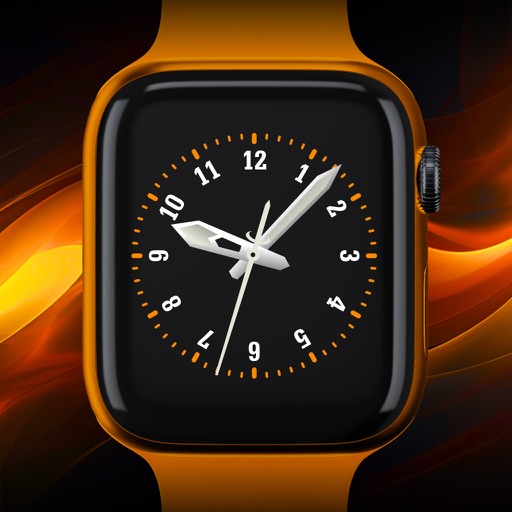
Count down to events with customizable timers for years to seconds. Track progress in real time with redesigned views. Share with others for collaborative updates. Attach website links with rich previews to events.
Calculate with , edit equations instantly, preview
Input allows users to speak equations for instant calculation and audio output. Tap to edit equation parts without backspacing. View equation components above the input and the result below. Access calculation history and favorites for quick reuse.
Monitor indoor climate with real-time temperature, CO₂, and humidity data. Receive smart warnings. View detailed measurements and interactive charts. Customize widgets and use full Apple Watch support. Track rain gauge data.
Select and customize wallpapers with daily handpicked designs. Edit colors, add text, and adjust layout. Share wallpapers directly or save for later use.
Create reminders and set chime times with a two-step process. Choose daily, weekly, monthly, yearly, or custom intervals for repetition. Customize actions and organize tasks with simple scheduling options.
Lets users set reminders for upcoming events. Create countdowns with customizable colors and add images. Track time until events like birthdays or holidays. Share countdowns with others. Adjust settings to receive alerts.
Countdown timers and reminders for events. Set custom backgrounds and share countdowns with others. View events via home and lock screen widgets. Track countdowns both up and down.
AI Wallpaper: Create exquisite wallpapers using AI-generated designs. Customize colors, patterns, and styles. Set as desktop background. Share or save wallpapers.
Manage download queues with pause/resume and priority settings. Supply passwords and upload .nzb files from Files. Retry or remove history items. Access Control Center widget for quick access. Receive notifications on new files and warnings.
Customize device appearance with , posters, and widgets. Choose from a wide selection of backgrounds. Apply widgets for quick access to apps. Adjust and organize screens. Share custom designs with others.
Customize home screens with widgets, icons, wallpapers, and themes. Add DIY design tools for personalization. Use Pomodoro timer with customizable modes for focus and productivity. Share creations and access community themes.
Customize home screen with photos, , or dates. Add analog clock and set background color. Choose font, size, and color for and date. Support unlimited and uploads.
Create and edit with custom colors, fonts, and sizes. Record tasks, to-do lists, study plans, and shopping lists. Set as home screen widgets or lock screen. Add unlimited widgets.