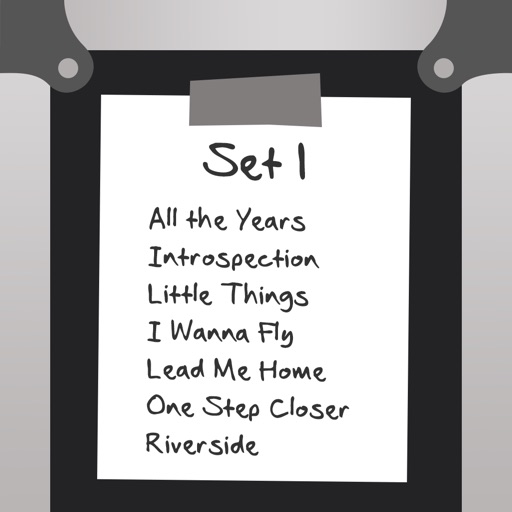
Manage and organize music files with a song library supporting PDF, TXT, and ChordPro formats. Preview and list songs for easy navigation. Adjust autoscroll speed and direction. Search, tag, and filter songs. Import lyrics and chords from UG sources.
by Clara Lehmann★ 0.00 ratingsMusicFreeData updated 2026-09-06
View and documents such as PDF, DOC, DOCX, XLS, XLSX, PPT, TXT, and more. Open files directly from your device without needing a computer. Support multiple file formats in a single . No internet required for file viewing.
The app provides a novel arrangement of notes for playing music. Sliding a finger produces chords, with higher importance notes and chords surrounding them.
Manage files, transfer, unzip, preview, play videos,
Manage files with drag-and-drop organization and folder creation. Transfer files between devices via Wi-Fi without cables. Preview photos and play videos. Unzip ZIP and RAR files.
The app catalogs songs, storing artist, title, tempo, duration, key signature, lyrics, and chords. It prompts lyrics on screen with customizable font and color, advancing via swipe or Bluetooth pedal.
The app allows users to type text and have their device read it aloud using selected system voices. Users can import text files, export audio, and adjust reading speed and pitch.
Create and edit scripts directly on the device. Import text from Txt, Word, and PDF files. Follow text flow during recordings to maintain eye contact and natural speech rhythm. Sync with video editing tools for seamless integration.
Create using AI-powered tools. Generate songs and instrumental tracks based on prompts. Choose genres and styles. Edit and refine compositions. Export in various formats. Collaborate with other users.
Securely store and hide sensitive documents and files with encryption. Set custom passwords and fake codes to restrict access. View hidden content through a shared code. Lock and unlock files with a passcode.
View and manage documents including Microsoft Office, PDF, TXT, and ZIP files. Zoom, rotate, and annotate pages. Search text within documents. Share files via email or cloud services. Sync across devices.
Access hymns anytime instrumental playback and zoom functionality. Add favorites and search by number, title, lyrics, or use table of contents and alphabetical index. Support dark mode, notification-based player, and history list.
Transfer files between devices, iCloud Drive, and cloud services like Dropbox, Box, OneDrive, and Google Drive. Upload/download to FTP/SFTP/FTPS servers. Save local files to iCloud Drive. Export files in various formats.
Convert images and documents to editable using OCR technology. Recognize in multiple languages including Chinese, English, Japanese, and Russian. Edit recognized and save as .txt or .docx files. Scan to PDF and export scanned documents.
Manage files with drag-and-drop between phone and computer. Play videos in avi, flv, rmvb, mpeg formats without conversion. Access password-protected files and folders. Share files via微信 or similar apps. Browse internet with built-in navigation.
Manage and organize worship with smart setlist generation based on your library and liturgical calendar. Track song orders, assign instruments, and coordinate technical teams. Export and share directly.
The app allows users to compose music for various ensembles and offers handwriting recognition with Apple Pencil. Users can import scores, edit notes, and export compositions as PDF, MusicXML, or MIDI files.
And decompress files with ZIP and RAR formats. View and open documents like PDF, DOC, and images. Create folders and manage storage. Access file viewer and organize files efficiently.
Edit documents, spreadsheets, and presentations online
Create, edit, view, and share documents. Compatible with Word, Excel, PowerPoint, PDF, and Google Docs formats. Sync documents across mobile devices and Mac. Scan and convert PDFs. Export files in multiple formats.
By slowing down without pitch change. Loop sections for focused . Isolate vocals, drums, and instruments using AI. Record own . Control playback with Bluetooth foot pedal. Import songs or use Apple . Adjust speed, pitch, and BPM during .
Convert files between formats like JPG, DOC, XLS, PPT, TXT, RTF, EPUB, and PDF. Save or share converted files to iCloud or other apps. Manage conversion history and access previous conversions.
Create and edit musical scores with multi-staff and multi-voice editors. Add notes and chords using the Pencil tool. Transpose sections with vertical drag. Use On-Screen piano for quick composition. Select and adjust elements with the Select tool.