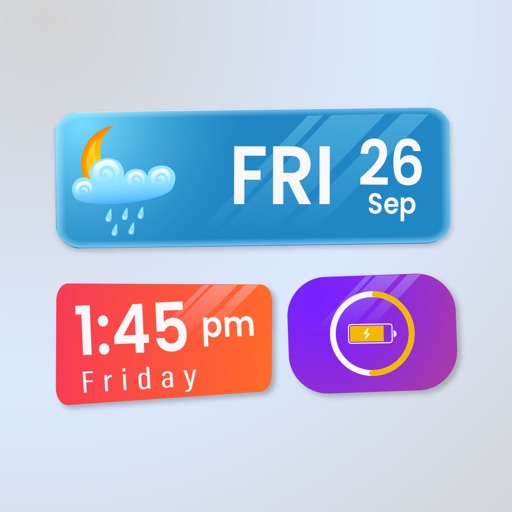
Customize phone desktop with widgets for weather, calendar, groups, vintage clock, and daily Bible kit. Personalize with popular wallpapers and icon packs. Add widgets for quick access to features and information.
by 宇 刘★ 4.81,896 ratingsProductivityFreeData updated 2026-09-06
Widget King allows users to add dynamic to their home screen. Choose from sporty, racing car, cliff, bridge view, and aesthetic . come in three sizes. Users can customize and arrange on their iOS 14 home screen.
Count down to custom dates representations. Set and track event reminders. Import calendar events. Customise home screen widgets. Support dark mode and universal iPad. Sync across devices via iCloud. Available on Apple Watch.
Displays selected images on the iPhone desktop with three customizable styles. Users can choose and update images, delete unwanted ones, and switch between featured albums. Future updates include calendar, countdown, and weather features.
Displays real-time data from on your home screen. View charts, tables, budgets, and KPIs directly. Customize appearance and refresh data automatically from spreadsheets.
Display full- digital time with seconds on dynamic island and . Choose from various digital font styles and customize colors. Show date and week information. Set hourly chimes and voice time announcements.
Manage with a minimalist todo and calendar integration. Add notes with customizable themes. Backup and restore data via iCloud. Set notifications and use a widget for quick access. Supports landscape mode on iPads.
Quickly write and save a simple interface. Set reminders and access via Notification Center today . Sync across devices using iCloud. Search through system search. View on Apple Watch. Unlock history of an in- purchase.
Manage events with customizable colors and labels. Set start day and year. Display holidays and days off with color coding. Use Rokuyo support and 24-hour time format. Add event labels with adjustable font size and color.
Simplify digital life with a minimal widget. Access essential apps quickly. Customize widget layout. Reduce screen clutter and visual noise. Organize apps into 5 widgets for efficient navigation.
Save notes to by tagging them quickly. Add Lock Screen widget for faster -taking. Use official authorization for secure data transmission. Sync offline notes when connected.
Write memos line by line with character count tracking. Add images to notes. Copy and paste text line by line for reference. Use widgets to access notes on home screen. No advertisements.
Create custom widgets with photos or web pages for quick access to notes, reminders, timetables, and more. Save web pages for offline viewing and export them. Set auto-refresh for web pages and create bookmarks for frequent sites.