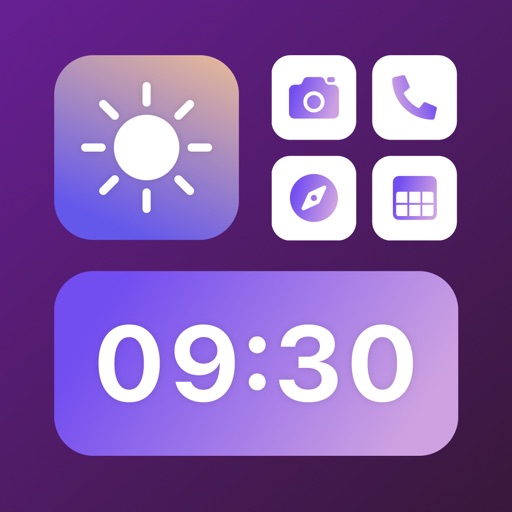
Change icons on the home screen with customizable styles. Select from over 100 icons and adjust shape, color, and background. Install modified icons to personalize the device interface.
Customize home screens with icons, backgrounds, and widgets. Access over 800 unique icons from themed packs like Christmas, Neon, and Retro. Receive weekly updates and enjoy ad-free design.
Create game logos by selecting backgrounds and templates. Add text, stickers, and icons. Customize fonts and combine elements for personalized designs. Export and share finished logos directly.
Customize iPhone wallpaper and layout with downloadable . Add widgets and design aesthetic compatible with iOS 16. Change wallpaper and layout with one click.
Create custom themes by selecting icons and widgets. Choose from various design options to personalize device appearance. Apply themes to home screens and icons. Sync with launcher for full customization.
Create and manage configurations for iOS home screens. Add icons to lock screen with widgets. Generate custom icons from glyphs with color and gradient options. Import images as icons. Save multiple setups for quick style changes.
Create rounded images from photos or gallery selections. Adjust borders and colors for polished results. Save and share rounded images for social media platforms including Instagram, Facebook, YouTube, TikTok, X, WhatsApp, Snapchat, and Pinterest.
Edit code with syntax highlighting and code completion suggestions. Open files from iCloud or drag onto the . Insert tags via menu or comment code with dynamic detection. Export files directly.
Change home icons and widgets to customize the appearance. Set dynamic backgrounds and themes. Add shortcuts for quick access. Organize widgets into folders. Adjust colors and layouts for personalized aesthetics.
Create and edit images with AI-generated art, logos, and tattoos. nime or art from text descriptions. Restyle photos using cartoon editors or AI headshot tools. Design logos and characters with specialized tools.
Create logos using AI by entering a brand name and selecting design preferences. Choose colors, fonts, and styles. Export logos in various formats and share directly.
Create home screen icons and themes. Adjust icons, backgrounds, and layouts. Apply new themes with simple taps. Customize layouts and styles to match personal preferences.
Create designs with a flexible canvas and 45+ device frames. Sketch with Apple Pencil, build wireframes, and develop interactive prototypes. Collaborate in real-time and export designs in multiple formats.
Create logos with customizable templates, text tools, and graphic elements. Adjust colors, fonts, and layouts. Export in multiple formats and share directly.
Create photo collages with hundreds of predefined layouts and AI-powered face detection. Combine up to 10 photos in various aspect ratios. Edit images by dragging, scaling, rotating, and flipping. Apply effects and customize frame width and style.