
Apps Like Universal TV, Remote Control for iPhone and iPad
TVs with your phone
Smart TVs remotely by selecting and connecting to your devices. Adjust volume, change channels, and switch inputs. Access smart TV apps like Spotify, YouTube, and Netflix. Navigate with a modern, intuitive interface.
Universal TV, Remote Control screenshots
Ranked alternatives
Showing 141–160 of 1,000 ranked alternatives.

TV Remote, Universal Control
Imran Yaqoob
Your TV and mirror screen remotely
Smart TV functions with a virtual remote, adjust volume, change channels, and manage playback. Mirror device screen to the TV for content casting. Use a virtual keyboard for text input and a touchpad for navigation.
Universal Remote TV For Roku
Thanh D Vo
Connect to via Wi-Fi or IP address
Connect to the same Wi-Fi network as a device to automatically detect and control it. Manually enter the IP address to set up the TV. Only works with -powered devices.


TV Firestick Remote Control
Appstrix LLC
TV functions from your phone
TV functions remotely via Wi-Fi. Adjust volume, switch channels, select input sources, and manage playback. Navigate menus and access streaming apps directly from the phone interface.


TVRem Universal TV Remote App
Electronic Team, Inc.
Control smart TV with your iPhone
Control TV functions by swiping through menus and launching apps with a single tap. Type faster with on-screen keyboard. Search using voice commands. Manage media players and smart TVs remotely.

Universal TV Remote Voice AI
Nhan Nguyen Thi
Control your TV with commands
Control TV channels, adjust volume, and manage playback with commands. Access a interface compatible with multiple TV brands. Use AI to search for content and navigate menus without manual input.


Sam TV Remote Control
Linh Nguyen
Sam TV with your iPhone
Your Sam TV with an iPhone . Connect to Sam TV via Wi-Fi and navigate using on-screen buttons. Search for available devices in the same network. Access YouTube and Netflix directly. No setup required after initial connection.

Remote for LG TV - WebOS TV
Baker Mohammad Anas
Control your LG TV with a
Control LG TV with a virtual . Adjust volume, change channels, and navigate menus. Access settings and input sources. Pair via Wi-Fi for wireless operation. Supports LG Smart TVs without physical .

TV Remote Controller
Alexey Siginur
Control your LG TV remotely
Control LG WebOS and Netcast TVs with a . Use touch, navigation, and number pads for input. Adjust volume and mute. Navigate with back, exit, and OK buttons. Support full voice control and physical button emulation.

Total TV: Universal Remote
Huracan Apps LLC
Control TVs and stream content remotely
Control TV functions with a . Manage multiple devices including Samsung, LG, Hisense, Roku, and Sony TVs. Adjust volume, change channels, and access streaming platforms. View device status and send commands via Wi-Fi or Bluetooth.

SonLink: Remote for BRAVIA TV
Fan Wai Ho
Control your Sony TV via Wi-Fi
Control Sony TVs via Wi-Fi . Adjust volume, channel, mute, and power. Navigate with smooth touchpad. Type using on-screen keyboard. Automatically detect nearby TVs. Simplified interface for quick access.
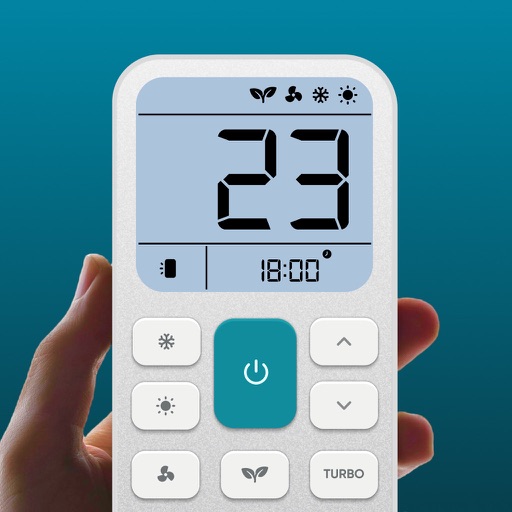
AC Remote, Air Conditioner Pro
Matthew Clarke
Control AC temperature and modes remotely
Control air settings from a smartphone. Adjust temperature, switch modes, set timers, and change fan speed. Connect to multiple AC units. Compatible with various brands. Manage cooling or heating remotely. View and adjust schedules.

Remote for Roku TV & Channel
Phuong Tran
Control TV with your phone
Control TV and streaming devices with mobile . Access channels remotely. Use 20+ commands. Manage multiple devices including TV, Streaming Player, Express, TCL, Onn, and Insignia. Connect via Wi-Fi.

LG TV Remote Smart Control
Sepia Software LLC
TVs with voice, tap, or swipe
Turn your iPhone into a universal for multiple TV brands. Fire TV, Roku, Samsung, LG, and HDMI-CEC devices with tap, swipe, or voice commands. Pair using a 4-digit code without developer mode. No additional hardware required.

RemoteZap: Universal TV Remote
Alex Turchenko
Control devices with one tap
Control smart TVs and streaming devices with functions. Adjust volume, change channels, and manage power settings. Pair easily with major brands. No extra hardware needed. Some features require a subscription.
How we rank alternatives
Apps are ranked by functional similarity, category fit, rating confidence, and popularity.