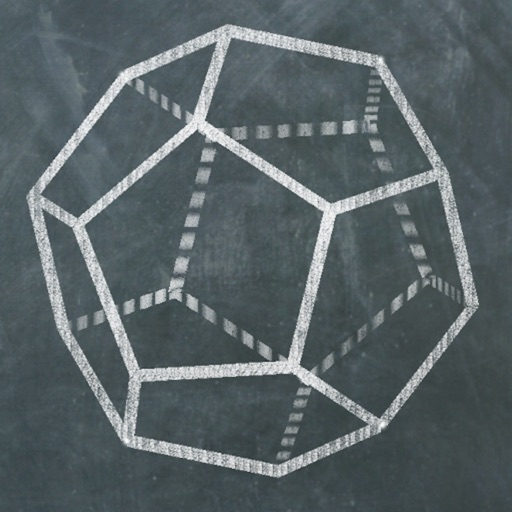
The app allows users to create and manipulate polyhedrons using Conway's notation. Users can apply various transformations and color schemes to generate thousands of visual combinations, which can be saved as images or viewed in Augmented Reality.
The app displays the geometry of 3D solids on iPad and iPhone. Users can explore 63 different shapes, including Platonic, Archimedean, and Johnson solids, by rotating, pinching, and zooming.
Explore with interactive 3D models of male and female bodies. View cadaver and diagnostic images alongside 3D structures. Access key organ views and animations. Purchase additional physiology and dental content.
A game allows offline art creation without ads. Users can color and draw princesses, unicorns, and animals. Features include animated elements that react to color, confetti effects, and a sketchbook interface for creative sessions.
Explore 4 Kepler-Poinsot and 53 uniform star with 3D models. View their duals and compounds. Rotate, zoom, and adjust angles to examine shapes. Learn about vertices, edges, and face structures. Save and share 3D models in various formats.
Calculate with dual-line display and multi-line input
A with dual-line display showing input and result. Supports multi-line equations and tap-to-move cursor. Saves calculation history with timestamps and labels. Allows emailing calculations and swiping to review previous entries.
View augmented reality content by scanning provided markers. Demonstrate how print can be enhanced with digital elements. Show clients how to integrate print and digital for better marketing impact. Share interactive print samples with clients.
Learn to characters using augmented reality guidance. Follow step-by-step tutorials to sketch facial features, body proportions, and expressions. Use AR overlays to visualize and refine your drawings in real time.
Explore 3D polyhedra models and create cross-sections by selecting three points on faces. Rotate, zoom, and adjust views. Learn about properties and types of solids. Build and analyze cross-sections for educational understanding.
Learn solid geometry by creating cross-sections of polyhedra using a defined plane. Build cross-sections by tapping three points on polyhedron faces. Explore regular polyhedra, pyramids, prisms, anti-prisms, and Archimedean solids.
Calculate with dual-line display and multi-line input
A with dual-line display showing input and result. Supports multi-line equations and tap-to-move cursor. Saves calculation history with timestamps and labels. Allows emailing calculations and swiping to review past entries.
Create drawings with realistic pencil, marker, and crayon tools. Choose from bright and soft color options. Use notebook-style pages for sketching, doodling, or coloring. Save and share drawings directly.
FITNESS TRAINING GLOBAL ONE MEMBER COMPANY LIMITED
Sketch with AR and AI
AR – Project sketches onto real-world surfaces using augmented reality. objects for precise outlines. AI-powered tools suggest color palettes and brush strokes. Edit layers, adjust opacity, and apply effects.
Book allows children to color pages featuring animals, vehicles, and objects. Includes interactive games to develop fine motor skills and shape recognition. Features sound effects and simple navigation for young users.
TOYA TAP: PRESCHOOL AND KINDERGARTEN FREE LEARNING PUZZLES GAMES FOR KIDS TODDLERS LTD
Color pages, draw, and create art
Pages allow users to select from crayons, markers, and a sparkling brush. Animated elements enhance the experience. The interface guides children in specific areas. Users can save and share their artwork.