Control effect parameters and looper settings via Bluetooth. Switch between chorus types, delay types, and reverb types. Adjust effect parameters for Double detune, 4 Voice, Simple, Analog, Hall, Room, and Plate.
by Yamaha Corporation★ 4.898 ratingsMusicFreeData updated 2026-09-06
The app is a polyphonic sampled AUv3 instrument and standalone application. It offers a configurable keyboard, reverb, and delay effects, with selectable keyboard or breath mode for performance.
Create and manipulate effects with two parallel reverbs. Swap between reverbs based on amplitude or tone changes. Auto-duck inputs to reduce unwanted noise. Adjust parameters for precise harmonic control. Export processed audio files directly.
A tremolo effect plugin for iOS audio units. Applies FM-based LFO modulation to audio signals. Adjusts volume with VCA and low-pass gate controls. Enhances instrument tracks with dynamic audio movement.
A synthesizer with 16 voice polyphonic capabilities. Users can create sounds using two oscillators per voice, adjust ADSR envelopes, apply filters, and control amplification. Includes effects, a sequencer, and audio visualization.
TunerY allows users to tune guitars, basses, ukuleles, and other instruments with a chromatic offering 0.01Hz accuracy. It includes a metronome and a personal amplifier with reverb, delay, and distortion effects.
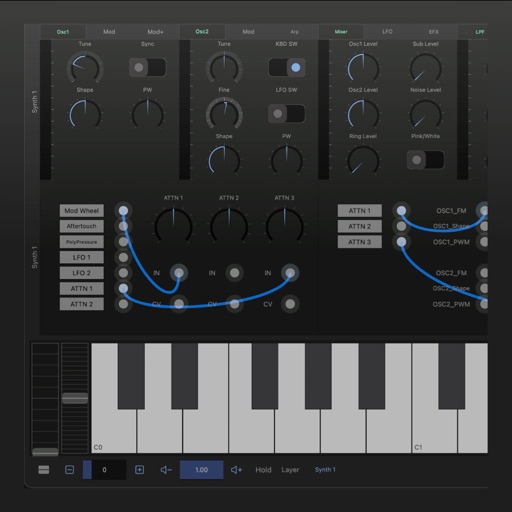
Edit and shape sound using three variable wave oscillators and two ladder filters. Adjust filter types and modulation settings. Use a multi-wave LFO and two modulation busses. Apply DSP-based effects for realistic analog synthesis.
Create with virtual instruments, effects, and AUv3 plugin support. Arrange beats, adjust tempo, and export tracks. Share projects directly or sync with DAWs for further editing.
Play notes with finger pressure sensitivity. Adjust pitch with microtonal tuning and transpose settings. Apply reverb and chorus effects. Practice scales and chords. Save and share performances. Sync with music theory tools for guidance.
The app connects to DigiTech e-pedals for the iStomp stompbox. Users can change the iStomp's sound by downloading different e-pedals from the Stomp Shop.
Create and manipulate effects using a step sequencer interface. Adjust tape simulation settings including compression, saturation, hiss, head bias, and wow/flutter. Export audio files and apply effects during recording or playback.
Apply multi-effect audio processing to enhance track depth and power. Sculpt bass and drum sounds with intuitive controls. Add saturation, compression, and distortion for heavier tones. Export processed audio directly.