Apps Like JustMerge - Join Video Clips for iPhone and iPad
Merge photos and videos into one file
Combine photos and videos into a single timeline. Arrange in any order and select specific segments to include. Add custom music and apply transitions to enhance the final . Export and share the merged content directly.
by Aidaluu Inc.★ 4.614 ratingsPhoto & VideoFreeData updated 2026-09-06
Create slideshows by selecting photos and videos from your library. Apply filters, masks, and transitions to each item. Add background music and customize settings.
Split videos into customizable 15-second clips. Save high-quality clips to the photo library. Choose from predefined durations or set custom lengths. Share clips directly to social media platforms.
Create videos by combining clips and adding text or frames. Choose from various fonts and adjust video length and text position. Crop videos to square for Instagram or Vine. Add music and adjust volume.
Create and share photos and videos for social profiles. Add captions and copy them to posts. Use hashtags to increase engagement and follower growth. Edit reels, stories, and posts with an intuitive editor.
Arthur Eduardo Skaetta Alvarez Desenvolvimento de Software LTDA.
Merge into one file
Merge by selecting multiple files and combining them in different formats. Sequence merge plays one after another. Grid merge displays four in a simultaneous grid layout. Parallel merge shows side by side. Export combined files and share directly.
Add source videos and background from the library or record voice. Adjust audio volume and trim or video. Preview and export in high quality. Control volume levels for video, , and voice over. Arrange and merge multiple clips.
Create vertical videos with adjustable speed and volume settings. Apply filters designed for use. Add music from iTunes. Trim, reorder, and delete clips. Share videos on Instagram, IGTV, Stories, Snapchat, or other platforms.
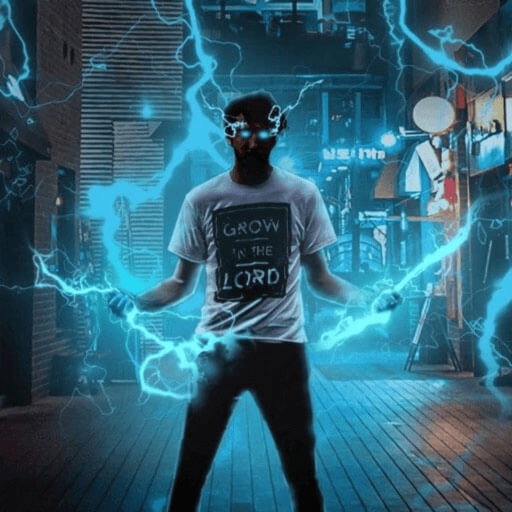
Record and edit videos with visual and templates. Add elements like dragons, magic circles, and space scenes. Include such as fire, laser, and lightning. Export and share edited videos directly.
Apply effects to clips using a growing library of professionally designed options. Edit videos with trimming, splitting, and layering tools. Add text, stickers, and transitions. Export in various formats and share directly.
Yue-Jie Innovations Science and Technology Co. , Ltd.
Edit videos with AI templates
Edit videos with AI-powered tools and pre-designed templates. Trim and merge clips. Add text, music, stickers, effects, and transitions. Use Inspire Cam for professional-style shooting. Export final videos in multiple formats.
Edit videos with trimming, merging, and speed adjustment tools. Add smooth transitions and text overlays. Export in various formats and share directly from the .
Extract audio from videos and songs. Trim and edit audio clips with precision. Convert selected segments into ringtones. Save and manage custom ringtones. Share created ringtones with others.
Edit videos with trimming, splitting, and merging tools. Add transitions, text, and music. Adjust brightness, contrast, and speed. Export in various formats and share directly.
Securely and videos behind a lock screen. Create and manage multiple albums with customizable names and thumbnails. Share unlimited media within albums. Support for GIF files. Add content via gallery, iTunes, or direct import.
Organize photos and videos by identifying and removing duplicates, similar images, screenshots, and contacts. Manually delete selected files. Ensure secure deletion with privacy protection. Free up space by clearing unnecessary media.
Auto-Trim Perfection - Automatically selects and stitches the moments from videos. Frame Your Moments in Style - Apply templates to enhance clips. Edit and export videos directly from the .
Remove unwanted objects, people, or background elements from videos using AI. Select and track moving targets with dynamic tracking. Highlight areas with brush and outline tools. Clean fixed areas like logos or timestamps. Trim and merge segments.