Create and arrange musical sequences using multiple playheads. Manipulate melody speed, direction, and pitch. Apply Baroque and Serialism composition techniques. Export and share projects in audio format.
Play with a full 88-key keyboard. Adjust key size for easier touch. Choose from a sampled or 128 MIDI instruments. Zoom in and out for better control. Includes a single banner ad. Optimized for iPad use.
Play Drum allows users to play virtual drums with multi-touch support for responsive instrument control. Choose from various drum kits including Studio Heavy Kit, Rock Kit, Tight Kit, and R&B Remix Kit.
Create using professional-quality audio samples and machines. Access a variety of instruments and effects for sound design. Explore genres like hip-hop, trap, and dubstep.
The app transforms an iPhone and iPad into a premium sampler and synthesizer for music production. It offers a dual-layer rompler engine and a touch-optimized workflow for creating studio-quality music anywhere.
Create beats and melodies using drum kits, synths, and melodic instruments. Sample audio via phone microphone. Edit MIDI sequences and export tracks to Live. Explore sound libraries and experiment with effects. Save and share musical ideas directly.
Create drum patterns with improvisation features and 2D control for jam and intensity. Use 8 assignable pads for live sessions and MIDI controls. Sync with Ableton Link. Export multi-track or full mix via audio-MIDI export.
Synthesized electronic drum loops that sound alive.
The app creates synthesized electronic drum loops with eight voices and a step sequencer. It offers a randomizer for instant sound mutation and snapshots for sound exploration.
Create musical sketches and chiptunes using a pattern-based sequencer and high-quality sampler. Record sounds from microphone or line-in. Export in WAV or XM formats. Import and export audio files. Support MIDI keyboard input.
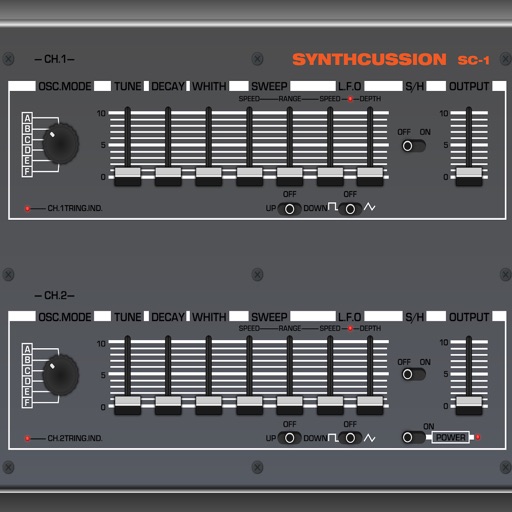
Create drum sounds using a unique synth without samples. Adjust parameters for tone and rhythm. Save and load presets. Export audio files and share directly.
Create and customize using 20 musical scales and 12 key signatures. Adjust 7 octave ranges and use 3-finger controls for playback. Share or save creations. Generate original tracks or follow pre-made examples.
Record and MIDI tracks for music production. Edit vocals for pitch and timing. Use virtual instruments and effects. Create drum patterns with custom samples. Mix and automate tracks with unlimited undo/redo.
Create and customize rhythms with preprogrammed patterns or original grooves. Combine rhythms in Song Mode or use Live Pads for real-time performance with 8 assignable pads and MIDI controls. Sync with other apps via Ableton Link.
Customize positions and scales for personalized finger drumming. Play, record, and save performances. Load saved sessions and export to MIDI, WAV, and MP3 formats.
Create rhythmic patterns with a step sequencer. Generate synthesized drums and bass sounds. Adjust pitch and velocity modulation. Blend multiple sounds into cohesive sequences. Export and share compositions.
Create and customize synthesizers using modular components. Build audio and MIDI effects. Control external apps and hardware. Explore modular synthesis concepts. Perform live with customizable setups. Sync with macOS via Audio Unit and VST plugins.