Send and receive faxes by uploading PDF documents. Enter recipient fax numbers and your email address to send. Receive confirmation emails upon delivery. Monthly limit of 20 faxes, reset each month. No subscriptions or recurring fees.
by Furnace Creek Software LLC★ 5.013 ratingsBusiness$7.99Data updated 2026-11-28
Convert documents between formats such as PDF, Word, Excel, PowerPoint, and images. Edit converted files directly. Save and share converted documents. Import files from cloud storage. Export in multiple formats.
The app enables printing, faxing, and sharing of documents and photos. It supports printing many document types and sending faxes to over 220 countries.
Search cars with filters for price, mileage, and vehicle type. View listings from Thai dealers. Set budget range and compare prices. Access promotions and special offers. Apply for financing with free down payment options.
The app allows users to send and receive faxes and voicemail on their iPad or iPhone. It supports viewing and printing various document types and includes a web browser for file transfers.
Send emails for reminders, , and to-do tasks quickly. Type and send in under a second. Change email addresses with a tap. Share browser links via a widget. Send emails from Apple Watch. Label each email for organization.
Enables scanning into high-quality images or PDFs. Users can scan certificates, credit cards, invoices, receipts, tickets, and other papers. The includes OCR to extract text from scanned items with a single tap.
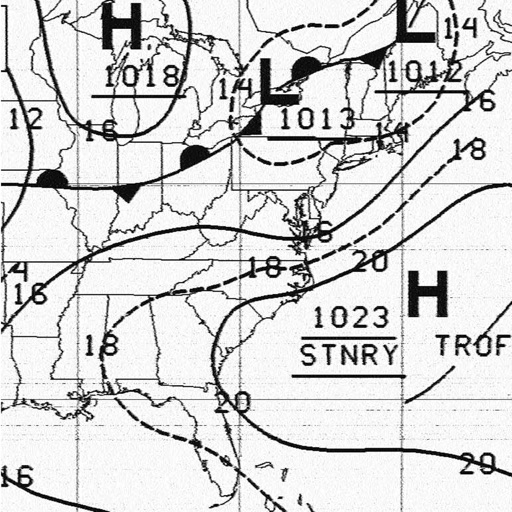
Receive and display marine fax images using HF radio audio. Connect via Bluetooth or audio input. Tune to fax frequencies. View real-time reports without internet.
And track faxes by uploading PDFs or images. Add a fax cover page and preview before sending. Monitor delivery status in real time. Supports all major fax machine formats.
With a single tap. and send to multiple signers. Track signatures with a secure audit trail. forms and attach files directly. Share signed via email or cloud storage. Set reminders for pending signatures.
Scan documents into PDF, JPG, or ZIP formats. Use ID-card and passport modes for specialized scanning. Save and share files directly. Organize scanned documents in a mobile office folder.
Documents and photos to PDF, JPG, or TXT formats. Save scans as multipage PDF or JPG files. Share scanned documents directly. Store and organize scanned files for easy access.