Create videos with one-tap effect application. Apply trending filters and effects to videos. Share videos on social networks. Challenge others with creative content. Edit videos with customizable effects.
by TIONE PP★ 4.62,113 ratingsEntertainmentFreeData updated 2026-09-06
Take photos and videos with 9 customizable effects including smile enhancement, face stretching, and character transformations. Adjust effects on-screen. Share images and videos via email, Twitter, or Facebook.
Create videos by importing footage from gallery or recording new content. Crop, rotate, pinch-zoom, and set custom background colors. Merge unlimited videos into a single timeline.
Edit photos and videos with advanced auto enhance tools, double exposure, and 425 special light effects. Apply filters, add stickers, typography, and vignettes.
Edit videos using filters, music, stickers, and sound effects. Add photos and create high-impact videos. Share directly to social media platforms. Track progress and adjust settings for optimal output.
Create videos with 1000+ templates, motion stickers, text transitions, and font styles. Add music and export in various formats. Edit clips and customize with effects for channels.
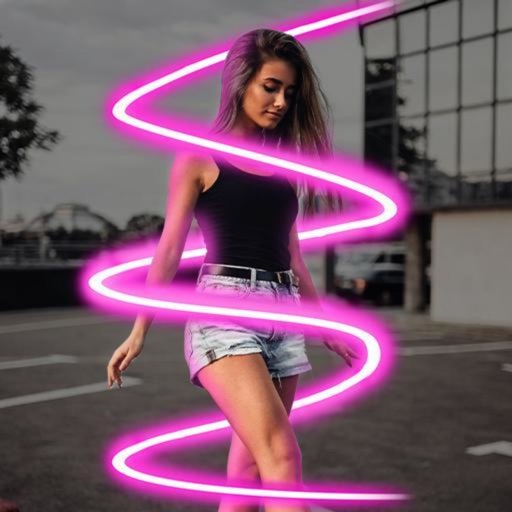
Edit videos with real-time filters and . Apply lenses like toonify, fire, Instagram, and vintage retro. Adjust colors and settings. Save and share edited videos.
Create and share short videos as animated GIFs or MP4. Capture frames with the or import photos, videos, or live photos. Apply real-time color filters, add text or frames, and record stop motion.
Create videos by selecting from camera or gallery. Adjust frame duration and apply effects, filters, themes, doodles, and stickers. Add music and create slideshow animations gif memes and stickers.
Edit videos with overlays, aesthetic effects, and filters. Add sound and music. Create vlogs, social media reels, and cinematic clips. Export edited videos in various formats.
Create pictures with customizable borders, backgrounds, and filters. Apply preset designs to enhance images. Export and share edited profiles directly to social networks.
Create Yes/No stickers to fix or flip messages. Replace text for pranks or corrections. Make custom tapbacks with emojis or colors. Choose from various styles to personalize replies.
Create silhouettes from photos by converting images into vector outlines. Choose from pre-designed templates or customize shapes. Export silhouettes as SVG files or share directly. Design posters and decals using the tool.
Play by tapping buttons. Choose from categories like fails, sirens, memes, and audience reactions. Use for videos, pranks, or entertainment. Export selected sounds for sharing.
Create collages by combining multiple images or videos. Adjust brightness, contrast, and color. Add text, stickers, and effects. Share finished projects on social media. Save edits in various formats.