Use front camera for real-time application and self-viewing. Apply filters like cartoon, sketch, and X-ray for styled photos. Zoom in 1x to 4x for detailed inspection. Activate flashlight for better lighting during application.
Shanghai Zongchong Information Technology Co., Ltd
Scan and export high-resolution PDFs
Converts photos of documents into high-resolution PDFs using AI-enhanced scanning. Automatically sharpens text and lines, even in low light or with shadows. Export as PDF or image formats. Share scanned documents directly.
Create illustrations, logos, and UI designs with precise drawing tools. Import and edit graphics. Organize projects in workspaces. Export in multiple formats. Collaborate in real-time with others. Adjust colors, shapes, and layers.
Create and edit digital drawings with freehand sketching and customizable brushes. Choose from a wide range of pencils, markers, and color options. Manage layers for complex artwork. Use unlimited undo and redo functions to refine your work.
Create and edit PDF documents by adding text, notes, and drawings. Import images and PDFs from the file . Convert photos to PDF, duplicate, rename, and password protect files. Rearrange pages, search within PDFs, and share as PDF or image.
The app downloads scanned images from compatible wireless scanners to an iOS device. Users can then edit, optimize, save, or share these documents directly from their device.
Add text to photos with customizable fonts, colors, sizes, and borders. Include stickers and background colors for creative expression. Share directly to social media platforms. Supports multiple languages including Arabic, , Persian, and Hindi.
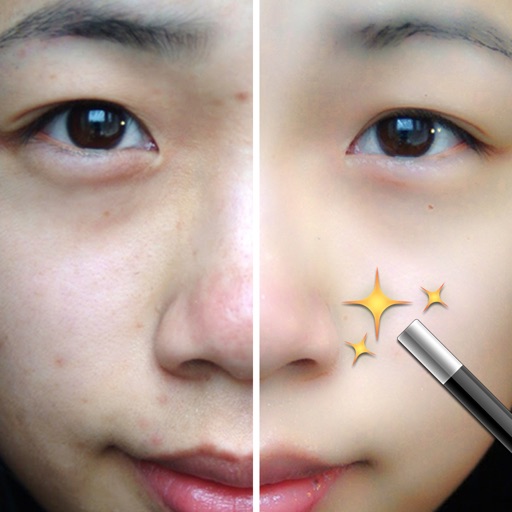
Photos by importing from camera roll. Apply effects and frames. Adjust brightness, saturation, and contrast. Crop, rotate, and straighten images. Add text, stickers, and draw. Sharpen, blur, fix red eye, remove blemishes, and whiten teeth.
Edit photos by selecting from a gallery or capturing new images. Apply unique and not found elsewhere. Adjust background colors and photo size. Combine multiple with a single tap. Export and share edited photos.
The app allows users to change a monochromatic background into any image. It offers tools to manually remove backgrounds without a green screen and includes features like auto-enhance, drawing, stickers, text, and various photo effects.
Compress videos to reduce file size without quality loss. Edit videos and photos with trimming, cropping, and filters. Batch compress multiple files at once. Save and share compressed videos directly.
Convert low-quality photos to high-resolution images with clarity and detail. Upscale photos to maintain sharpness. Boost resolution for clearer images. Apply denoising to reduce grain and enhance visual quality.