Debrief flights, prepare for next flight, simulate
Review flight data and debrief past flights. Prepare for upcoming flights with training modules. Use the procedural simulator to practice aircraft procedures. Connect GPS and audio recording devices for real-time data input.
View real-time locations of gliders and aircraft using Flarm technology via OGN tracking. Receive live updates on speed, altitude, and direction. Filter by aircraft type and location. Share flight data and track historical routes.
Navigation provides flight planning and in-flight calculations. Users can customize quick access buttons, configure units, and manage blocks and airtime.
Calculate distance, time, and fuel consumption using parameters like Mach number, TAS, ISA deviation, and wind components. Create and manage aircraft profiles with customizable fuel usage based on distance flown.
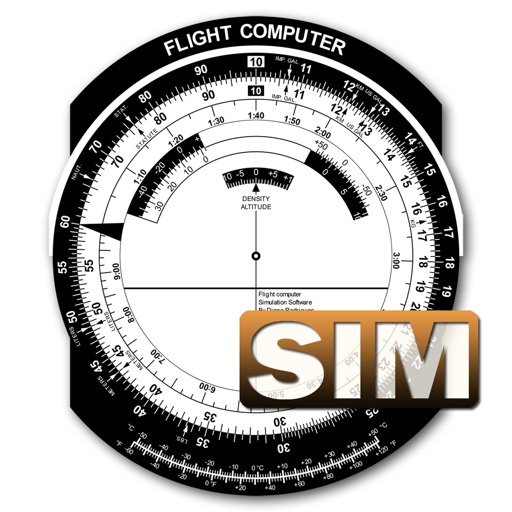
A utility simulates an E6B slide ruler for aircraft pilots. Perform conversions, wind corrections for low and high speed. Rotate, slide, and pinch zoom for precise control. Includes three calculation modes.
Control aircraft using click & go flight and joystick functions on an iPad. Preset flight courses and manage missions through the control software. Supports Bluetooth 4.0 iPad devices for wireless operation.
Pilots can upload Garmin avionics data files to generate TBM Reports. Select SD card location to view log files. Choose recent flights or specify a time frame for upload. Generate detailed approach analysis reports.
Choose a destination and activate airplane mode to experience peaceful solitude. Navigate virtual skies, customize settings, and explore realistic landscapes during the journey.
Access crew information entered by air operators. View aircraft and crew schedules. Manage flight dispatch and online flight tracking. Monitor aircraft charter sales. Access a central database for operational data.
Provides aircraft-specific for Infinite Flight users. Allows users to complete pre-flight, in-flight, and post-flight procedures. Includes for various aircraft models. Helps ensure all necessary steps are followed during flight simulations.
Learn aircraft systems and prepare for check rides with detailed training materials. Access content for Boeing 737, 747, 757, 767, and 777 models. Review system diagrams, procedures, and check ride scenarios.
The app displays a zoomable map that moves with the aircraft and shows key flight variables. Users can select different map types, aircraft icons, and units of measurement for a personalized flight simulation experience.
Simulate milling operations in 2.5D with G and M code support. Edit and run G0 to G95 codes. Use radius compensation G41/G42. View sharp vector graphics and zoom. Access multiple languages. Track tool paths and machine movements.
Calculate landing speeds using Boeing’s FCTM procedures for 727 to 787 models. Input aircraft type and conditions to determine speeds. Supports Airbus and other jet aircraft as well. Store and recall frequently used settings.
Practice IFR flight training with simulations of VOR, HSI, RMI, ADF, DME, and ILS navigation. Track instrument readings, adjust settings, and test navigation skills. Save progress and review performance metrics.