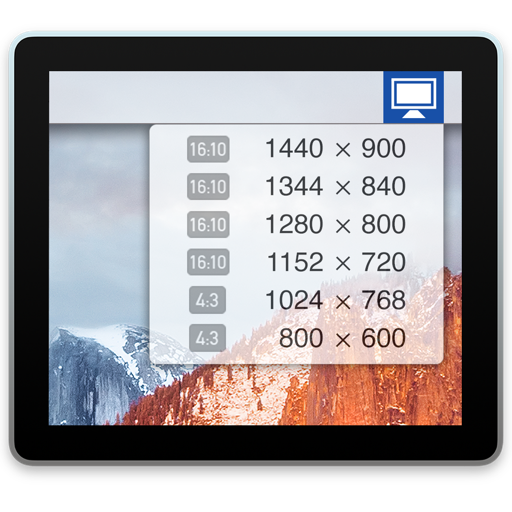
Display Menu
Thorsten Karrer
Change display settings with one click.
The app displays a status item in the menu bar for changing display settings. Users can adjust resolution, mirroring, and refresh rates.

Send video to your TV
Mirror device screens to TVs or computers. Send video content wirelessly. Supports without AirPlay compatibility. content from iOS devices to various displays. Control mirroring settings directly from the .
Showing 341–360 of 1,000 ranked alternatives.
Thorsten Karrer
Change display settings with one click.
The app displays a status item in the menu bar for changing display settings. Users can adjust resolution, mirroring, and refresh rates.


Eric Degrange
Play videos and music directly
Play videos and music in all major formats without conversion. Support SMB/FTP/WEBDAV/UPnP access for playback and downloads. Stream via AirPlay, Chromecast, and external screens. Play 4K HDR content with Dolby Vision and HDR10+.


Truong Nguyen
Your TV with a
TVs using a smartphone instead of a physical . Adjust volume, change channels, and navigate menus. Replace lost or broken remotes. Sync with multiple devices and manage settings directly from the .

Qomo, LLC
Capture, annotate, and share content
Capture and annotate live video with masks, spotlights, and picture-in-picture. Take snapshots and record sessions. Adjust image properties including scaling, rotation, resolution, and exposure.



Fidel Lainez
Grade videos with precision and control
Edit videos with high-quality color grading tools. Adjust brightness, contrast, saturation, and hue. Apply custom filters and fine-tune each parameter. Export videos in various formats and share directly.




Anthony Mayo
Call bingo numbers with an app
The app calls American 75-ball and English 90-ball bingo games. It includes human and synthesized speech voices, and shows bingo catchphrases on the screen.


Bholabhai Dangar
To TV with one tap
Mirror your phone's to a TV for content playback. videos and web content with a single tap. Supports all major Smart TVs and streaming devices. Control media playback directly from your device.

Olena Oliinyk
Your devices with one
TV functions like volume, channel, and power with on-screen buttons. Navigate menus with intuitive gestures. Receive tactile feedback through vibrations. Access multiple devices and apps from one interface. Adjust settings and save custom layouts.
Apps are ranked by functional similarity, category fit, rating confidence, and popularity.