Solve problems by entering three of four variables. Calculate using the of . Store calculations in a history log. Display detailed step-by-step solutions. Support for fractions and decimals. Allow entry of constants. No advertisements.
Solve math problems from basic arithmetic to advanced algebra. Perform exact fraction calculations and store unlimited variables. Create custom functions and graph equations. Use a powerful algebra engine for precise results.
Perform basic and complex calculations with a minimalist interface. Large buttons and a display show current input and calculation history. Supports portrait and landscape orientation. Includes AI-powered problem-solving for advanced operations.
Solve math problems with three keypads for easy mixed number input. Calculate multiple fractions simultaneously. Syncs with iOS devices for optimal performance.
Solve problems by taking photos of equations. View detailed step-by-step solutions. Use a built-in calculator for quick calculations. Access and review past problems and solutions. Share solutions via email or messaging.
Plus allows users to perform basic math operations including addition, subtraction, division, multiplication, squaring, and square root. It features large buttons, clear numerals, and horizontal mode for additional controls.
Perform complex calculations with scientific, financial, and unit conversion tools. Access 10 financial worksheets for budgeting and planning. Switch between landscape and portrait modes. Save and export calculation results.
Calculator lets users perform basic and scientific calculations with over 30 functions. Switch between portrait and landscape modes. Customize leather color and background texture on iPad. Take notes or draw directly on the interface.
AI Chat allows users to engage in conversations with preset scenarios and character options. AI Image Generation enables keyword extraction from text or images to create visual content. Users can generate text, code, and diagrams using AI tools.
Customize appearance with themes, button shapes, and colors. Choose from six layouts and control all visual elements. View input and result simultaneously on dual-line display. Adjust settings for precise calculations.
Study flashcards with customizable questions and answers. Review progress with statistics and spaced repetition. Create and share flashcards with classmates. Solve math problems with step-by-step explanations.
Solve math problems with natural textbook input and fraction support. Trace graphs with touch. Zoom using pinch gestures. Tap for regression analysis. Swipe to scroll through calculation history and matrices. Access help via the ? key.
Perform arithmetic operations with a simple interface. View current calculations and track history. Supports universal device compatibility. No advanced or engineering functions included.
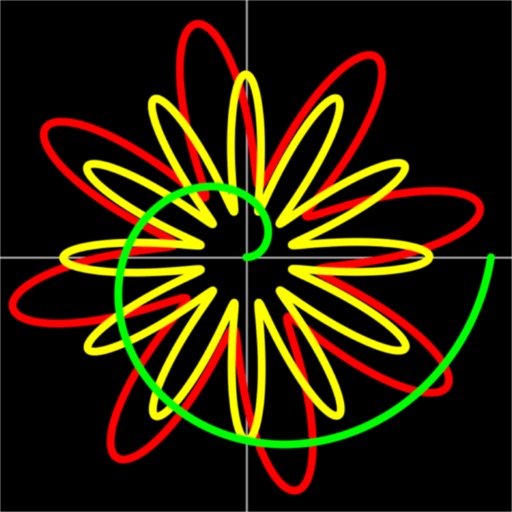
Allows users to plot functions, polar, and parametric graphs. Users can edit equations in the graph editor and view graphs. Features include tracing, finding intersections and extrema, displaying derivatives, and adding tangents.