Enhances SO browsing by removing horizontal scroll and expanding code snippet views. Allows users to navigate content more efficiently and view code examples without scrolling.
by Viktor Koltcov★ 0.00 ratingsDeveloper ToolsFreeData updated 2026-09-06
Write clean, error-free code on iOS with syntax highlighting, auto-indentation, and code completion. Create, edit, and run scripts directly. Supports debugging and integrates with version control systems.
Record screen to create scrollshots without taking multiple screenshots. Stitch screenshots together to view long content. Edit and annotate stitched images. Share or save final compositions.
Create collages and long by stitching multiple images together. Supports horizontal puzzle and other layout modes. Maintains original clarity during stitching. Allows manual adjustments and saves high-quality originals.
Allows users to enable and disable the VPN with two clicks. It blocks ads and provides anonymous browsing. Users can access high-speed servers and manage connection settings. The ensures no logs are stored and offers secure internet access.
Editor with built-in Node.js, Python, C, C++, PHP, and Java runtimes. Supports Monaco Editor for high-performance text editing. Offers autocomplete and static analysis for Python and Java.
View live previews of UI components and adjust parameters in real time. Customize components and copy code snippets for use on Mac via Universal Clipboard. Access documentation to learn about SAP for iOS capabilities.
Allows users to add and edit text, remove or change backgrounds, style captions with custom fonts and colors, mirror the screen, and control the remotely. Users can record videos while reading scripts in real time.
, , , and using the camera. Choose from six measurement methods. Display results in real-time within the camera view. Save measurements as images. Share results directly.
Browse the web and download files quickly with support for videos, audio, and documents. Block ads and pop-ups to enhance browsing speed and reduce distractions. Manage download queues and prioritize tasks for efficient file handling.
Browse privately with IP masking and tracking prevention. Use a VPN to encrypt internet traffic and block ads. Unblock restricted content and access the web anonymously without data logs.
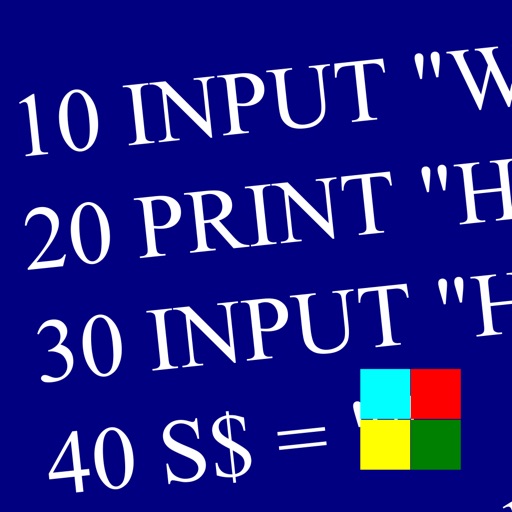
Learn and program language on iOS devices. Enter and run code, use built-in functions, and access help documentation. Save and load programs. Simulate Commodore 64 environment for educational use.
Edit by converting with a single click: uppercase, lowercase, title , sentence , inverse , or alternating . Clean by removing double spaces, line-breaks, or HTML code. Undo changes if needed.
Block ads such as banners, pop-ups, and video ads across websites. Improve browsing speed by reducing page clutter. Disable intrusive advertisements to enhance online focus and navigation.
Browse the web with a and featuring a personalised news feed and private browsing mode. Access bookmarks and history. Open multiple tabs. Manage extensions and settings.
Ads, tracking URLs, and cookies in . Whitelist preferred sites or blacklist unwanted ones. Enable parental controls. Improve browsing speed and extend battery life.
Manage files on local and remote servers with browsing, searching, and organization. Edit text, view photos and videos, and record audio. Compress or decompress files, move, copy, and save documents. Sync with iCloud for file access and management.
Block ads and scripts in on iOS 9. Load websites faster by removing banners and unnecessary content. Prevent data usage from ads. Manage browsing speed and reduce distractions.