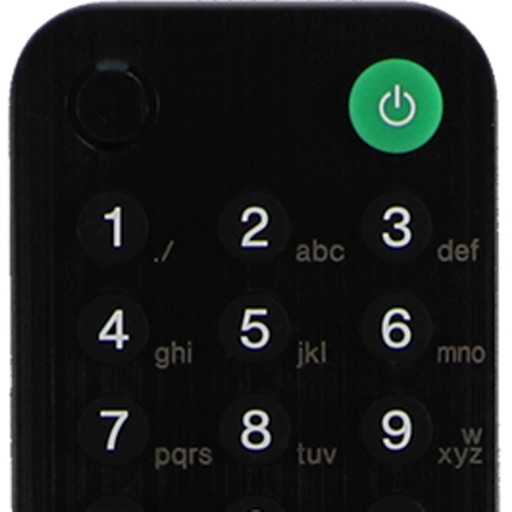
Control smart TVs from an iPhone without a physical . Adjust volume, change channels, and navigate menus. Support includes Roku, Samsung, LG, Vizio, and other major brands. Pair with Wi-Fi-enabled TVs for direct commands.
by East End Technologies Ltd.★ 4.62,213 ratingsUtilitiesFreeData updated 2026-09-06
Stream content by mirroring iPhone or iPad to Smart TVs, Chromecast, Roku, Fire TV, and more. videos, photos, music, and games in HD. Connect without cables and sync with AirPlay.
Controls TV and streaming devices via Wi-Fi. Automatically detects connected devices. Includes a large touchpad for navigation. Adjust volume and channel. Access movies, music, and games. functions without physical buttons.
Multiple audio and video devices including TVs, Blu-Ray players, and streaming devices. Adjust volume across all connected devices. Access a comprehensive code library for various brands. Follow an online setup guide for easy configuration.
Compatible TVs via Wi-Fi network connection. Tap, swipe, or speak to operate TV functions. Instantly pair with all compatible TVs. View and adjust settings like volume, input sources, and power.
Mirror device screens to TV for video, photo, web, and YouTube content. Stream without cables. mobile content to large display. Share presentations or watch media directly on TV. Control settings from mobile device.
Control your TV with swipe gestures on iPhone, iPad, or Apple Watch. Launch TV apps instantly using customizable buttons. Navigate the web browser with a touchpad and keyboard. Adjust volume and channel with swipe gestures.
Control your TV or streaming device via the . Connect devices to the same WiFi network for automatic setup. Use a trackpad or traditional layout to navigate. Access all installed apps and channels directly.
Control Philips Smart TVs via Wi-Fi or Ethernet network. Navigate menus, change channels, adjust volume, and access apps. Use intuitive on-screen controls to mimic original functions. Automatically detects connected TVs for easy setup.
Allows users to access their last quickly for instant . It offers a fast touch pad and keyboard for efficient navigation. The interface is designed with a clean and user-friendly layout.
TV functions with a dedicated . Adjust volume, change channels, and navigate menus. Access apps and settings easily. Use keyboard for input. Operate without screen glare or button hunting.
Control Samsung TV with an intuitive remote interface. Auto-detects TV and connects via Wi-Fi. Navigate menus, adjust volume, and manage settings. Requires iPhone or iPad on the same network as the TV.