Apps Like Background Changer Pic Editor for iPhone and iPad
Remove in seconds
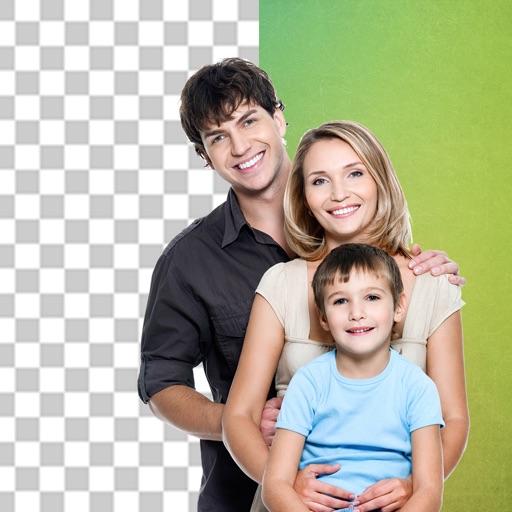
Edit photos by removing backgrounds and replacing them with custom colors. Erase unwanted objects with a single touch. Adjust and enhance images for sharing on social media.
by HOANG PHAM★ 4.6165 ratingsPhoto & VideoFreeData updated 2026-09-06
Edit photos with advanced filters, lighting adjustments, and blur. Add text, stickers, and effects. Crop, rotate, and enhance details. Export in various formats and share directly.
And people from photos using AI-powered erasing. Edit images with AI expand, generative fill, and AI replace tools. Adjust backgrounds for a natural look. Export edited images in various formats.
Remove photo backgrounds using intelligent erasing tools. Select and eliminate specific colors or objects. Make backgrounds transparent for use in collages or stamps. Export edited images for further editing or sharing.
Edit photos with filters, cropping, and brightness adjustments. Add text, stickers, and frames. Create collages and enhance images for social sharing. Trim and cut videos. Export in multiple formats and share directly.
Remove backgrounds from images and create transparent or colorful alternatives. Edit colors, apply filters, add borders, and include text. Save edited photos as high-quality PNG or JPEG files.
Edit videos using AI Auto Edit tools. Convert images to with AI Image-to- features. Apply AI Art filters for Vivid Anime and Fairy Classic styles. Use templates like Sunflare and AI Kissing for creative effects.
Chengdu Everimaging Science and Technology Co., Ltd
Edit photos with AI voice commands
Edit photos using AI-powered tools that apply multiple adjustments based on voice or text commands. Crop, rotate, and enhance images with one-tap edits. Add text, stickers, and filters. Export in various formats and share directly.
Remove backgrounds from images using AI-powered erasing. Cut out objects with precision and create transparent backgrounds. Save as PNG or edit layers for detailed adjustments. Share edited images directly.
Cut photos with AI to remove backgrounds and isolate subjects. them onto new backgrounds or other images. Swap faces between photos and add missing people to family shots. Create collages by combining multiple images.
Edit photos with background removal, erasing, and custom text or graphic addition. Change backgrounds and enhance images with AI tools. Export and share edited photos directly.
Remove unwanted objects from photos with a single touch. Erase background elements like trash cans or poles. Edit selfies by removing distracting figures. Save and share edited images directly.
Edit photos with AI-enhanced tools for clarity and resolution. Remove unwanted elements and separate figures or objects. Apply AI skin corrections and custom filters. Adjust HSL and curves for precise color and tone control.
Edit with one-click cutout and batch processing. Remove unwanted elements and replace backgrounds. Create collages and ID . Use templates and stickers for design. Perform multi-layer synthesis and green screen effects.
Edit videos, erase objects, remove unwanted elements
Edit videos by removing objects, people, or unwanted elements. Use a magic tool to clean up clips quickly. Erase specific areas with precision and save edited videos for sharing.
Remove from images using AI-powered cutout. Select between "Star" mode for edge detection or "Auto" mode for pixel-based erasing. Save transparent images for use as stickers in other apps.