Create and explore spatial scenes using Apple Vision Pro. Transfer projects to iPhone and iPad for mobile access. Play and share experiences with others. Design in multiplayer mode with an intuitive interface.
by Overlay LLC★ 5.01 ratingsGraphics & Design$19.99Data updated 2026-09-06
Edit photos and videos with filters, effects, and advanced tools. Remove backgrounds, create collages, and design mood boards. Access AI-powered features for art generation and scene switching. Export and share edited content in multiple formats.
Create animated photos by adding motion to selected elements. Choose animation styles, adjust timing, and export as video or GIF. Share directly to social media or save for later.
Create videos using customizable templates. Upload clips from camera roll. Trim and combine footage. Add text and effects. Export in various formats. Maintain brand consistency with on-brand templates.
Edit photos with filters, cropping, and AI enhancements. Adjust colors and brightness. Add text, stickers, and overlays. Create collages and cards. Edit videos with trimming, transitions, and effects. logos, flyers, and social media content.
Create and share 3D holographic tours by capturing and editing spatial . Add interactive elements like videos, images, and 3D models. Publish immersive AR experiences directly from the device for immediate viewing.
Edit photos with AI filters, style transformations, and Nano Banana trend effects. Restore old photos by enhancing details and repairing scratches and fading. Create videos with AI tools, turn images into anime, game avatars, or action figures.
On with precise tools. Add text, shapes, and stickers. Insert layers and blend images. Create collages with frames and stamps. Design custom stickers and share directly via iMessage or the .
Generate images from text using AI models like Imagen 3, Flux, and Seedream. Edit and refine visuals with AI tools. Export images for social media, stories, or other formats. Collaborate across devices with iPhone, iPad, and Mac.
Edit photos and videos with AI-enhanced filters, animated effects, and advanced adjustments. Apply customizable effects to enhance scenes. Add text, stickers, and transitions. Export in various formats and share directly.
And cut projects using connected Explore or Maker machines. Access a library of images, fonts, and projects. Sync designs across devices via cloud. Use SnapMat™ to maximize material usage. Edit and arrange graphics for customization.
Create animations by drawing frames and applying motion effects. Use pre-designed templates to start projects. Export animations in video format and share via social media or email.
Faces in photos and videos using AI technology. Apply funny filters and edit images. Generate AI avatars and create -swapped content. Preview hairstyles and edit photos with customizable effects. Share finished content directly.
Create stories with customizable text using 400+ fonts in multiple languages. Add animations, backgrounds, and stickers. Edit text styles, colors, and layouts. Share content directly to , TikTok, Telegram, and other platforms.
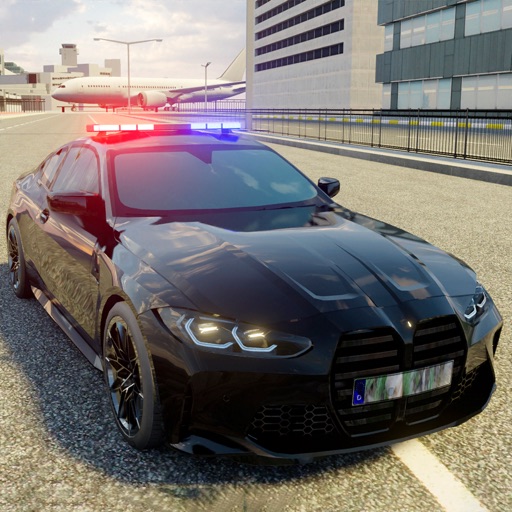
Drive cars in an open-world environment with stunt roads and diverse terrain. Participate in multiplayer races against other players. Explore the city and countryside on foot or in vehicles. Customize car models and engage in drifting challenges.
Create and edit 3D models using 25 built-in primitive shapes. Import and export models in various formats. Adjust geometry with precision tools. View models in 3D and 2D perspectives. Add textures and materials for realistic rendering.